




 Help Center
  Tutorials
  Download Center
 How to Download Reddit Videos with Sound (6 Easy Ways)
By Iris Holmes
Updated on Dec 07, 2025
24.2K views
5-min read
Reddit is a huge online community where users share ideas, experiences, and countless resources on any topic. When browsing, you may often come across interesting posts and want to download videos from Reddit for offline viewing or personal collections. But is that supported?
Some videos do offer a download button, but not all of them. Fortunately, there are still methods to work it out! In this guide, we will walk you through 6 easy ways to download Reddit videos with sound on PC, Mac, iPhone, Android, and online, ensuring that you can access them anytime, anywhere. Let’s get started!
- Way 1. Official Way to Download Reddit Videos
- Way 2. Download Reddit Videos with Audio on Windows/Mac with TuneFab
- Way 3. Download Reddit Videos to MP4 Online with RapidSave
- Way 4. Download Videos from Reddit for Free with Chrome Extension
- Way 5. Download Reddit Videos on Phones with Mobile Apps
- Way 6. Record and Save Reddit Videos Offline with FonePaw Screen Recorder
- FAQs About Reddit Video Downloads
- Final Words
Way 1. Official Way to Download Reddit Videos
As mentioned above, you can directly download videos from Reddit to MP4 without third-party tools, but only when the video owner has enabled the download permission. Below are the detailed steps on how to download Reddit videos on PC and mobile devices.
Note. If there is no download permission or the embedded video comes from other platforms like Dailymotion, Pinterest, or Tumblr, the built-in feature is not available. Skip to Way 2 for more reliable Reddit video download solutions.
For Computer (Browser)
Step 1. Visit Reddit on your browser and navigate to the post containing the target video.
Step 2. If downloading is enabled, simply right-click the video and select “Save video as…”.
Step 3. Choose a saving location and download the Reddit video as an MP4 file to your computer.
For Android & iOS (Reddit App)
Step 1. Open the Reddit app and browse the video you would like to download.
Step 2. Open the video playback window and tap the three-dots button on the top-right corner of the screen.
Step 3. From the pop-up menu, please select Download Video, and then you can easily save a video from Reddit to your camera roll immediately.
Additionally, some users also report that officially downloaded Reddit videos have no sound. If this happens, you may need a third-party solution, which we will cover in the next sections.
Way 2. Download Reddit Videos with Audio on Windows/Mac with TuneFab
If the official method does not work, another reliable way to download Reddit videos with sound is to use a professional third-party tool.
TuneFab VideOne Downloader is one of the best Reddit video downloaders for PC and Mac. This all-around solution can bypass any restrictions and download videos from Reddit to MP4 in original quality, even when the built-in download option is unavailable. Thanks to its advanced parsing engine, it can quickly detect embedded videos from the post, enabling you to download videos from Reddit in HD with a few simple clicks.
Even better, this downloader also offers a free trial with no watermarks on output files, ensuring a smooth, stable, and fast experience for Reddit video downloads. Not only that, but TuneFab VideOne also supports over 1,000 sites, so you can download videos from any social media with ease, not only Reddit.
Sparkling Features of TuneFab VideOne Downloader
- Download Reddit videos in MP4 full quality, preserving up to lossless 1080P resolution.
- Support multiple formats, including MP4, MOV, and MKV, perfect for flexible offline playback.
- Deliver 3X or faster speed to handle Reddit video downloads efficiently.
- Feature a built-in browser to seamlessly search, play, and download Reddit videos in one stop.
- Work with 1,000+ streaming sites, making it a powerful Video Downloader for Reddit and beyond.
Next, let’s follow the step-by-step guide to learn how to download Reddit videos with sound on PC & Mac by using TuneFab VideOne Downloader.
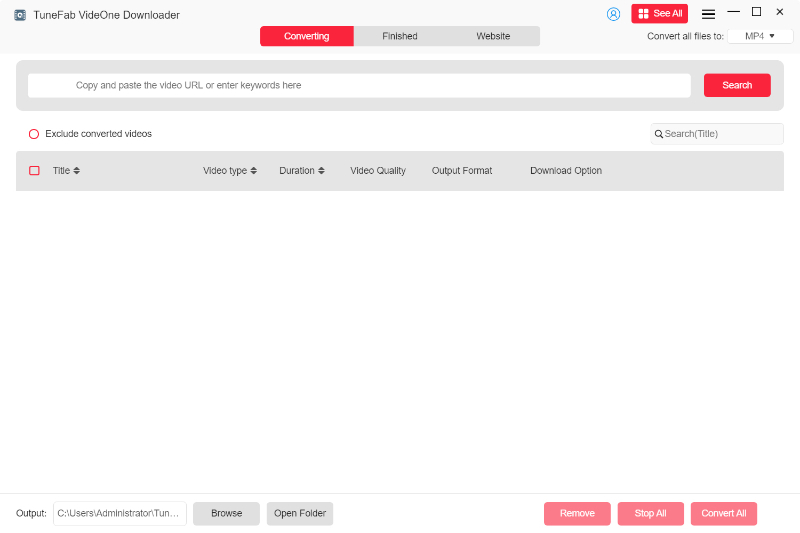
Step 1. Search for Reddit Video
Install and open TuneFab VideOne Downloader on your computer. From its main feed, you can go to the “Search by URL” tab, and directly paste the Reddit video URL into the search bar to fetch video information.
Step 2. Customize Output Settings
When the pop-up window appears, select your preferred output format, quality, output path, and more.
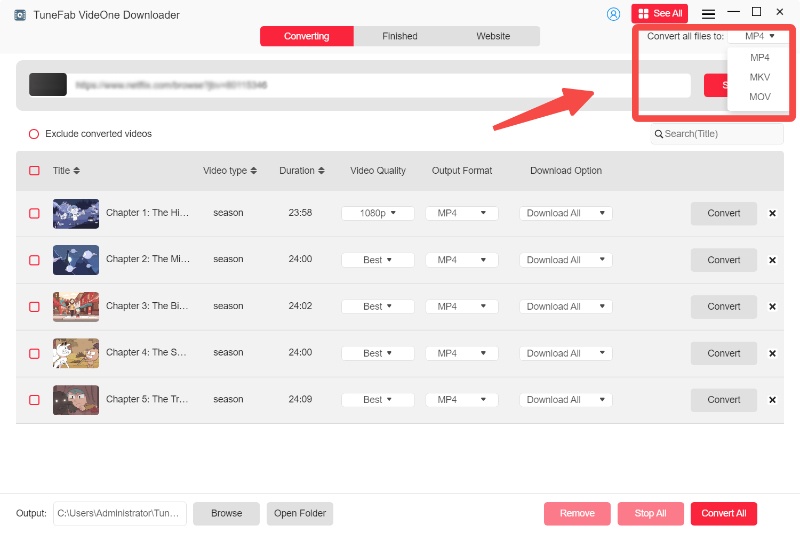
Step 3. Download Reddit Video with Sound Offline
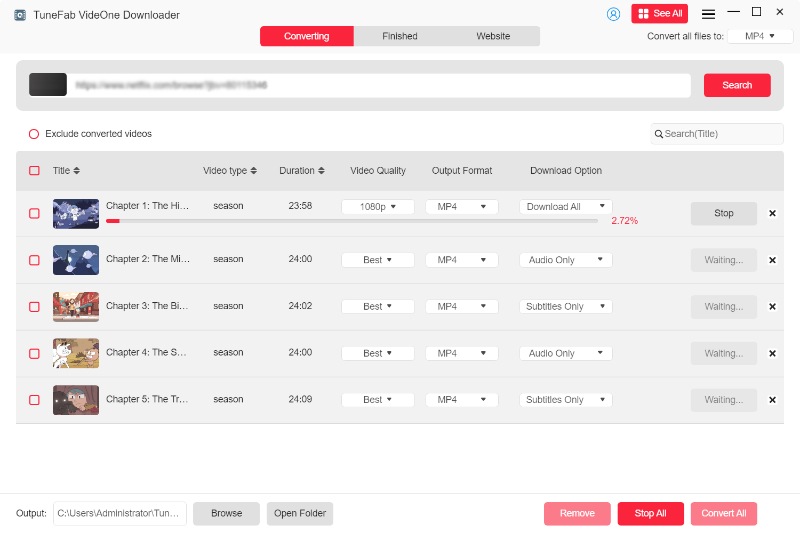
Simply click on the Download button, and TuneFab VideOne will download the Reddit video without a watermark in seconds.
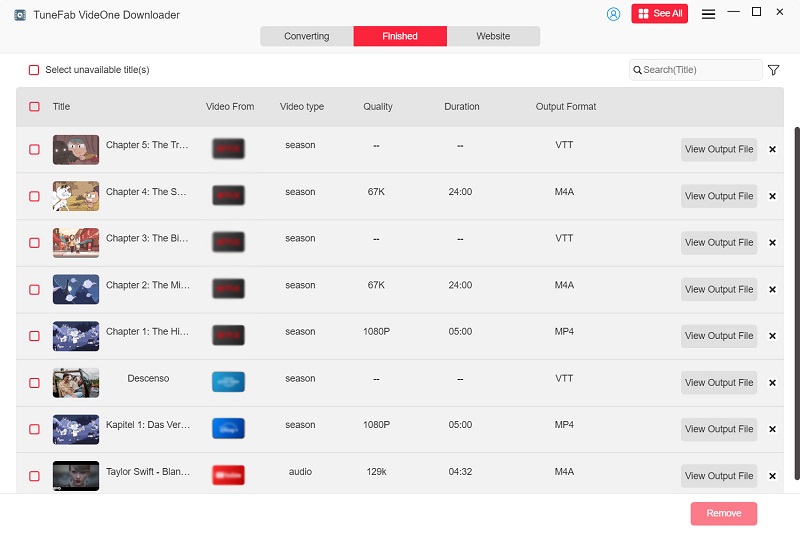
After that, you can effortlessly find all HD Reddit video downloads in the Downloaded tab. You can then directly watch them offline or transfer them to any device without any hassle.
Way 3. Download Reddit Videos to MP4 Online with RapidSave
Want a hassle-free solution without software installation? Using an online Reddit video downloader is the answer. It can let you download Reddit videos with a link, perfect for those who need a fast, one-time download.
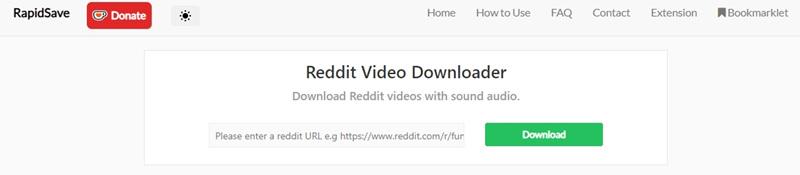
RapidSave is a commonly used option that can parse video links and quickly convert Reddit videos to MP4 online for direct downloading. Moreover, you just need a few simple clicks to save videos offline, no technical skills required. Here is how it works:
Step 1. Go to Reddit and copy the URL of the post that contains the video you’d like to download offline.
Step 2. Turn to RapidSave and paste the URL into the search bar. Subsequently, tap the Download button to proceed with the video conversion.
Step 3. When the download option is provided, click on it, and the converted MP4 Reddit video will be saved offline in no time.
Important Note.
Online Reddit downloaders often come with limitations, for example, slow conversion speeds, intrusive ads, and sometimes MP4 files without audio. For a higher-quality experience, using a Reddit video downloader for PC/Mac like TuneFab VideOne Downloader is usually the better choice.
Way 4. Download Videos from Reddit for Free with Chrome Extension
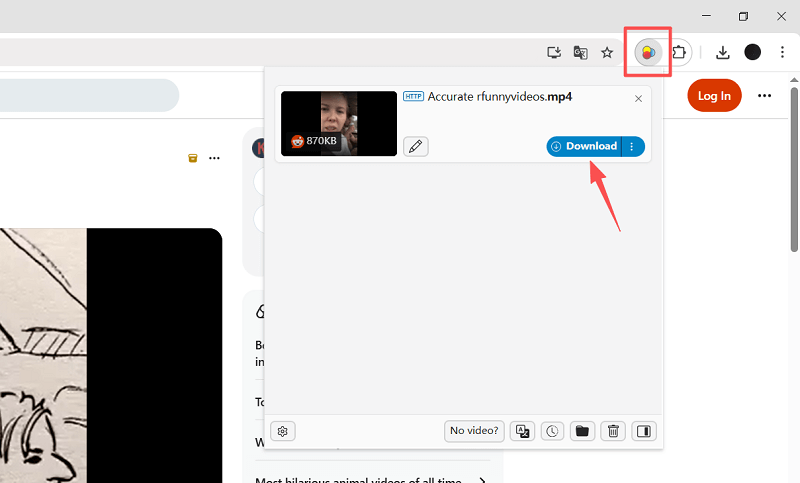
Another effortless solution is using a browser extension. Video DownloadHelper is a popular Reddit video downloader extension for Chrome, Firefox, and Edge. It can automatically detect embedded video streams in webpages, letting you download Reddit videos for free in Chrome without having to copy and paste links.
However, it is a pity that its output quality of this extension is often not ideal. If you want to save Reddit videos in HD, it is advisable to consider other options. Below is a simple guide to using this extension to download Reddit videos as MP4 in Chrome:
Step 1. Install the Video DownloadHelper extension in your Chrome browser.
Step 2. Open Reddit and go to the post containing the video you want to save.
Step 3. When the extension icon lights up, click it to display the available download button.
Step 4. Click the Download button, and you can get free Reddit video downloads in MP4 with ease.
Way 5. Download Reddit Videos on Phones with Mobile Apps
Downloading Reddit videos on phones is also convenient. Whether you are using Android or iPhone/iPad, there are convenient methods available. Here are detailed guides to help you get started.
On Android Devices
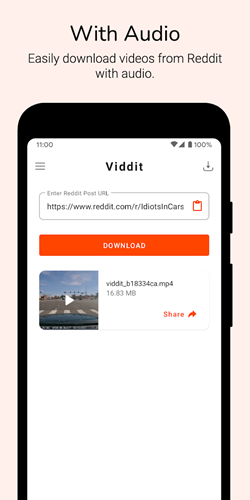
If you are using an Android device, then don’t miss Video Downloader for Reddit, an open-source application that can help you download Reddit videos to MP4 on Android effortlessly. By installing it on your mobile, you can then walk through the guide below to try saving videos from Reddit to the Android gallery in no time:
Step 1. Open Video Downloader for Reddit on Android once you complete the installation.
Step 2. Similarly, you need to go to Reddit and copy the video URL first. Then return to the Reddit video downloader for Android and paste the URL into the search bar.
Step 3. Once the conversion is complete, select the Video Download option from the Share menu, and the Reddit video will be saved offline in no time.
On iPhone/iPad
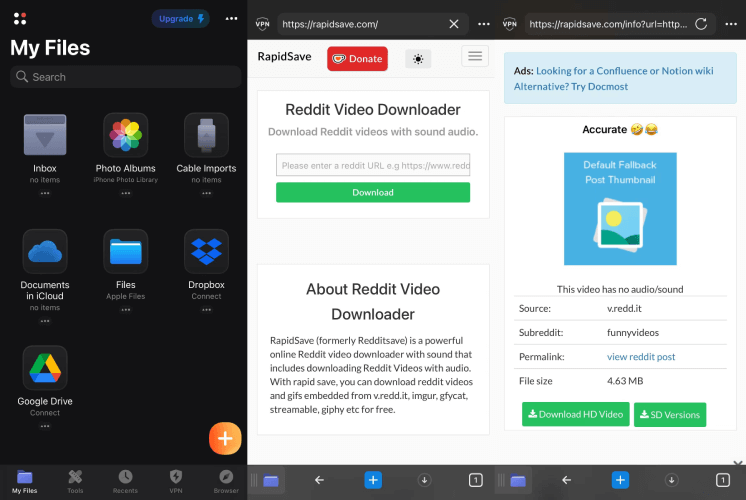
For iOS users, the download process is a bit more complicated because there is no dedicated Reddit video downloader app available. However, you can use Documents by Readdle along with an online downloader to get the job done. Here is how:
Step 1. Install the Documents by Readdle app on your iPhone/iPad.
Step 2. Open Reddit and copy the URL of the target video.
Step 3. In the Documents’ built-in browser, go to a reliable online Reddit video downloader. Then, paste the video link and start the Reddit video download.
Step 4. Once the download is complete, click on the three-dot icon of the video file and select Save to Photos, and you will save Reddit videos to the camera roll.
Way 6. Record and Save Reddit Videos Offline with FonePaw Screen Recorder
If you are looking to save a Reddit video clip, then using a screen recorder is a more flexible solution, as it can help rip videos from any site based on your preferences. FonePaw Screen Recorder is a viable option that can help you get Reddit video downloads in MP4, even for long videos or those without download permissions.
FonePaw Screen Recorder offers multiple recording modes, which can also maintain original resolutions while capturing both the screen and audio. In addition, the program is also equipped with more advanced recording features like locked-window and scheduled recording functions to enable a more convenient process. So, if you want to download a Reddit video with audio, then this tool is worth considering.
Follow the steps below to record Reddit videos for offline viewing with FonePaw:
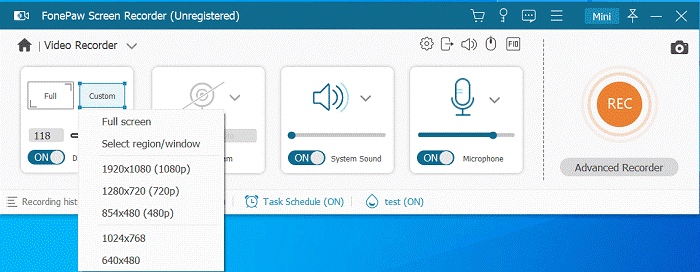
Step 1. Run FonePaw Screen Recorder. On the main interface, select Video Recorder and enter the screen to customize the recording settings, including the recording area and system volume.
Step 2. Click on the Settings button above the microphone adjustment box. By turning to Output, you can further personalize output quality, codec, and format to your preferences.
Step 3. Get the Reddit video ready to play. Once it starts, also tap REC to proceed with the screen recording.
Step 4. When the recording is over, save the recorded Reddit video as a local file offline in no time. Now you can watch your downloaded Reddit video with sound anytime, anywhere.
Note.
Since this method requires real-time recording, any video buffering or sudden pop-ups will ruin the recording. If you prefer a hands-off solution, consider TuneFab VideOne Downloader (Way 2) for direct, stable Reddit video downloads with simple clicks.
FAQs About Reddit Video Downloads
Is there any Reddit save video bot available?
Yes, there are some Reddit bots designed for downloading videos, such as u/savevideo, u/viddit, or u/getvideobot. You just need to comment a specific command under the post containing the video, and the bot will reply with a direct download link via PM or comment, letting you easily save a Reddit video offline. However, these bots are highly unstable and frequently stop working, so we highly recommend using third-party Reddit video downloader tools instead.
Can I download Reddit video to MP3?
Yes. If you want to extract audio from a Reddit video, you can use TuneFab VideOne Downloader’s Audio Only feature to directly convert a Reddit video to MP3, M4A, FLAC, or WAV.
How to download Reddit video to GIF?
To convert a Reddit video to a GIF, one effective method is to use FonePaw Screen Recorder and set the output format to GIF before you start recording the clip. This way, you can capture a clip from the Reddit video and save it directly as a GIF. Alternatively, you can also download a Reddit video to MP4 first, then upload it to online tools like Ezgif or FreeConvert to quickly convert it into a GIF.
Final Words
By going through the 6 methods discussed in this article, you now know how to download Reddit videos on PC, Mac, Android, iPhone, and online platforms. You no longer need to worry, even if you find a Reddit video that lacks an official download option.
For the best overall experience, TuneFab VideOne Downloader is highly recommended. With just 3 simple steps, you can download HD Reddit MP4 videos with sound and no watermark. Feel free to install and use this Reddit video downloader right away!