




 Help Center
  Tutorials
  Download Center
 How to Download Video from Websites (2026 Guide)
By Iris Holmes
Updated on Jul 07, 2026
25.2K views
5-min read
When you get on a subway, train, or plane, wanting to watch a video offline, the “no signal” message and a frozen loading bar can be extremely frustrating. Although some streaming platforms offer offline viewing, these features often come with limitations such as download caps, expiration dates, region locks, or device restrictions.
Therefore, more people are searching for how to download videos from the internet for flexible offline access. After testing multiple video downloader tools and methods in 2026, we identified four practical methods. In this guide, we will walk you through step-by-step tutorials to download videos from any website on PC, mobile, or online, so you can watch offline anytime without buffering.
Disclaimer: This guide is intended for informational purposes only. All video content belongs to creators and streaming platforms. You should only download content that you have rights to access.
- Overview: 4 Best Ways to Download Videos from Internet
- Way 1. Download Videos from Any Website with TuneFab VideOne
- Way 2. Download Online Videos for Free with SaveTheVideo
- Way 3. Extract Embedded Videos from Webpages with Video Downloader PLUS
- Way 4. Record Un-downloadable Web Video with FonePaw
- FAQs About Downloading Videos from the Internet
- Conclusion
Overview: 4 Best Ways to Download Videos from the Internet
It is challenging to find the right tool quickly, as there are a variety of streaming video downloaders available. We sorted 4 popular solutions to save videos from websites after 10-day testing on my Windows 11 PC with a 500 Mbps wired connection. To choose the most suitable video downloader, here are key factors to consider:
- Supported platforms: What are the supported websites and video types?
- Video quality: Does it support 720P, 1080P, and even 4K output quality?
- Processing speed: Is real-world performance matching the advertised claims? Can it handle batch conversion?
- Platform restrictions handling: Can it get rid of platform playback restrictions?
- Overall performance: Is it stable with no issues?
Below is a quick comparison table.
| Method | Desktop Software(TuneFab VideOne) | Online Tools(SaveTheVideo) | Browser Extension(Video Downloader PLUS) | Screen Recording(FonePaw) |
|---|---|---|---|---|
| Claimed Supported Sites | 1,000+ video websites and mainstream OTT services | 1,000+ video websites | over 10,000 video websites | Almost all websites |
| Max Tested Output Quality | Up to 8K (Depend on source) | Up to 1080P | Up to 4K (Depend on source) | Depend on the playing video |
| Video Format | MP4, MKV, or MOV | MP4 | MP4 | MP4, MOV, WMV, F4V, TS, WebM, and GIF |
| Encrypted Video Support | ✔️ | ❌ | ⚠ Partial | ⚠May have black screen issues |
| Batch Download Support | ✔️ | ❌ | ✔️ | ❌ |
| Ease of Use | ✔️ | ✔️ | ✔️ | ✔️ |
| Ad-free | ✔️ | ❌ | ✔️ | ✔️ |
| Key Limitations | Pricy to get started. | – Intrusive ads pop up. – Higher failure rate. |
Often fail to fetch protected content | Require real-time recording, which is time-consuming |
| Best For | Batch downloading videos from OTT services and video websites at a faster speed. | Occasional use with no installation needed | Quickly detect downloadable M3U8/HTML5 videos on the webpage | Capture protected web videos flexibly |
Way 1. Download Videos from Any Website with TuneFab VideOne
Available on: Windows and Mac
Download from: Netflix, Amazon Prime, Disney+, Amazon, Hulu, HBO Max, YouTube, TikTok, Vimeo, Facebook, Instagram, Twitter (X), and over 1000+ websites.
Compared with other solutions, desktop software usually provides more reliable performance for downloading streaming videos. This is especially important when dealing with platform restrictions such as OTT services and long-form content.
During our 2026 testing, TuneFab VideOne Downloader delivered the most consistent results across 5 test downloads on Windows PC with no crashing or interruptions. Unlike many competitors that recode video files, it integrates official web players for supported services, allowing you to download a video from the internet directly inside the software. Plus, this tool extracts the original video stream to MP4 and other common formats for offline playback.
Features of TuneFab VideOne Downloader
- Download videos from 1000+ websites and popular OTT services like Netflix, Hulu, HBO Max, YouTube, etc.
- Save web videos as MP4, MKV, or MOV local files.
- Preserve the original video quality provided by the source platform (Up to 8K for YouTube).
- Support long videos and batch downloads at a faster speed (Processing a 90-min 1080P movie in about 16 minutes).
- Preserve multi-language audio tracks and subtitles (for OTT services).
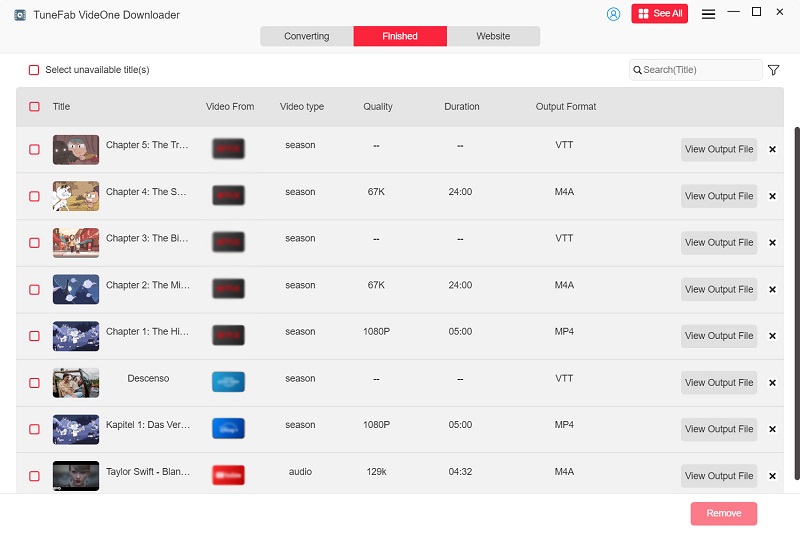
- Easily manage download lists and filter invalid items.
Here is how to download videos from websites on PC/Mac with TuneFab VideOne Downloader. This post will take the Netflix platform as an example.
STEP 1. Navigate the Netflix Movie on TuneFab VideOne
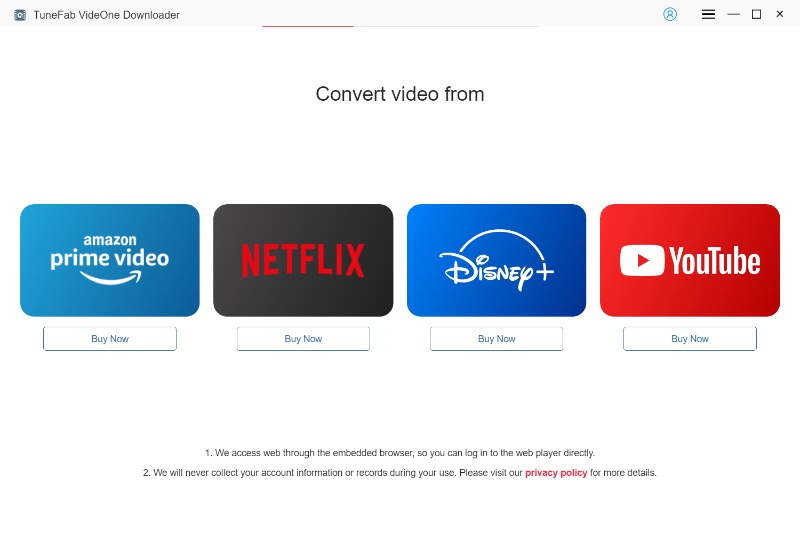
Get TuneFab VideOne Downloader on your computer. In the “VIP Services” tab, choose “Netflix” and log in with your account. Then, you can easily browse and find the target movie.
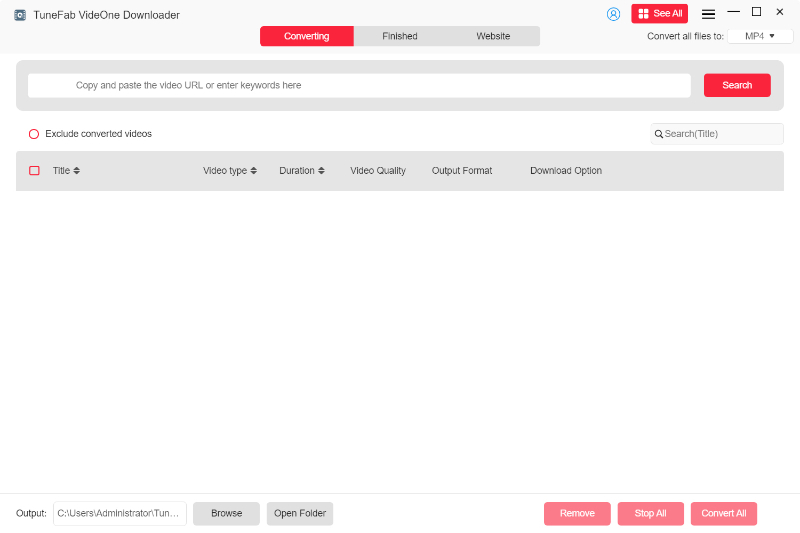
(Optional) If you already have the movie link, you can also move to the “Search by URL” tab, enter the video link into the search box, and click “Search” to locate a specific title.
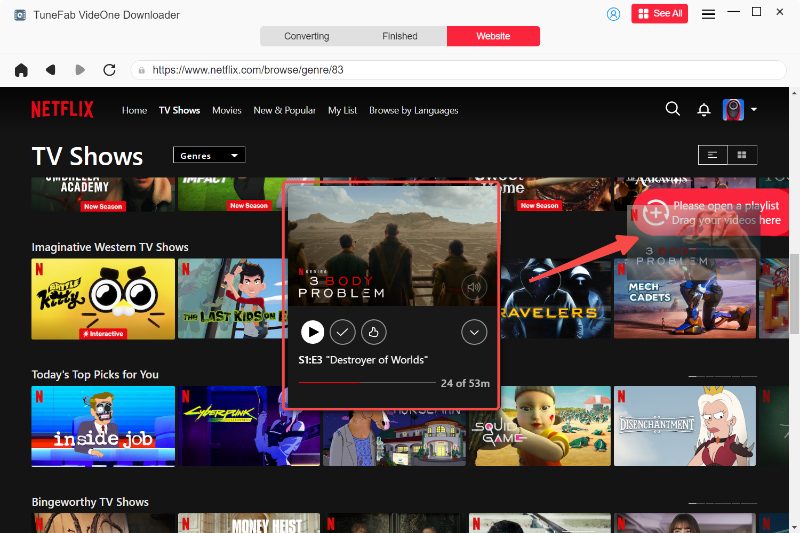
STEP 2. Add a Netflix Movie to Download
Click on the download icon in the lower right corner, and TuneFab VideOne will fetch video information and add it to the download queue.
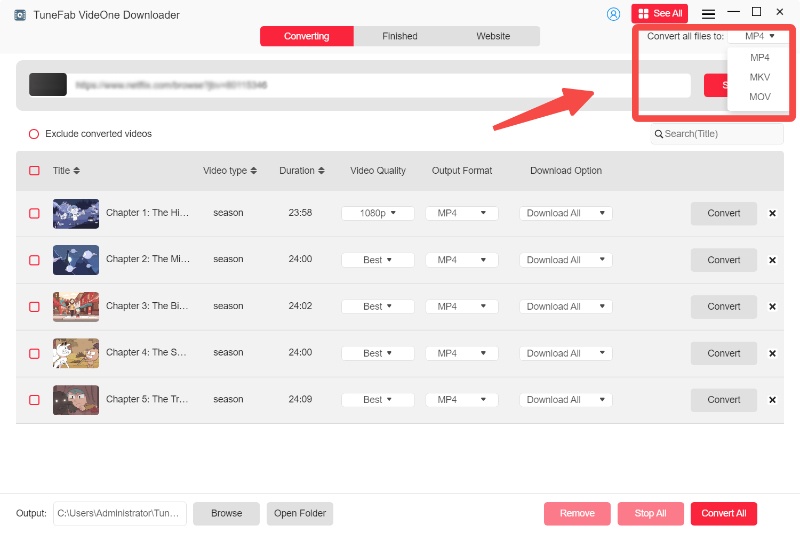
STEP 3. Customize Output Settings
On the pop-up window, choose your desired output format, quality, and even subtitles. Then, select the video on the right panel.
STEP 4. Download Streaming Video from Netflix
Click the “Download” button to start saving the video to your local device. Downloaded web videos will be saved as MP4/MKV/MOV and can be accessed in the “Downloaded” tab.
Way 2. Download Online Videos for Free with SaveTheVideo
Available on: Windows, Mac, Linux, iOS, Android (via browser)
Download from: Facebook, Instagram, Twitter, TikTok, Vimeo, Reddit, Dailymotion, SoundCloud, and other publicly accessible video websites.
If you prefer not to install software or use local storage, downloading videos online is a convenient alternative for occasional use. SaveTheVideo is a widely-used free online downloader that supports most video websites, excluding YouTube. It can convert online videos into MP4, MP3, WebM, M4A, and other formats, and even trim videos online by setting custom start and end times.
Note. Online video download sites are lightweight but often unstable, and some may carry malware. Be sure not to click on suspicious ads while using them. Also, slow network conditions may result in slow downloads or even failed tasks. For a smoother experience, it is advisable to download videos from websites during off-peak hours.
Here is how to download videos from links online for free with SaveTheVideo.
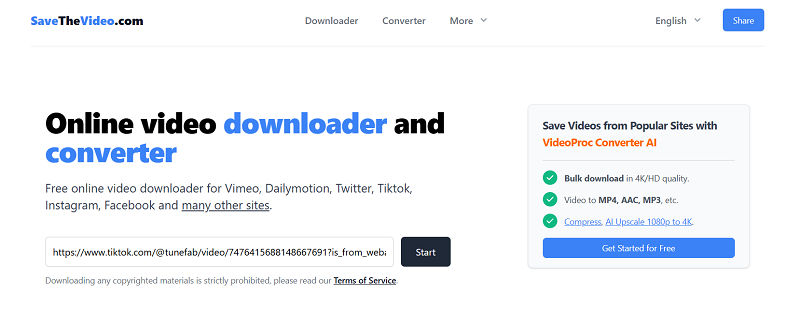
STEP 1. Visit the SaveTheVideo website. Paste the video link into the search bar on the web page. Then click the black “Start” button.
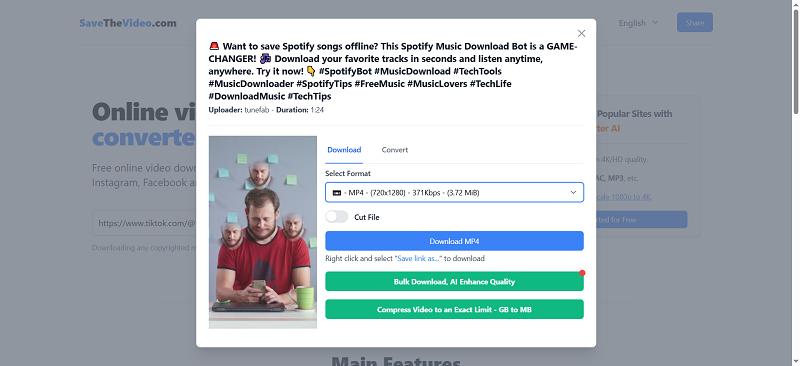
STEP 2. A pop-up window will appear. Move to “Convert” and select a preferred output setting under “Select Format”. Then click “Download MP4”.
Editor Note. During our testing, we found that the “Download MP4” button under the “Download” section can be misleading. Clicking it often opens redirect ads instead of downloading the file.
Way 3. Extract Embedded Videos from Webpages with Video Downloader PLUS
Available on: Windows, Mac, Linux (Google Chrome)
Download from: Facebook, Vimeo, Dailymotion, Twitter, Reddit, TikTok, and many HTML5 video sites
For those who frequently save videos while browsing, a browser extension like Video Downloader PLUS can be faster than copying and pasting URLs into an online video saver. In our testing, it detected most embedded HTML5 videos within 3 – 5 seconds after playback started. Plus, the extension worked on Chrome, Firefox, and Edge, offering a straightforward way to download videos from the browser without switching to another app.
Here is how to download videos from websites with the help of Video Downloader PLUS.
STEP 1. Find “Video Downloader PLUS” in your browser (Use Chrome as an example). Click “Add to Chrome” to install it.
STEP 2. Play the video you want to download within Chrome. Click the “Extension” icon on the top-right corner of your screen and click Video Downloader PLUS.
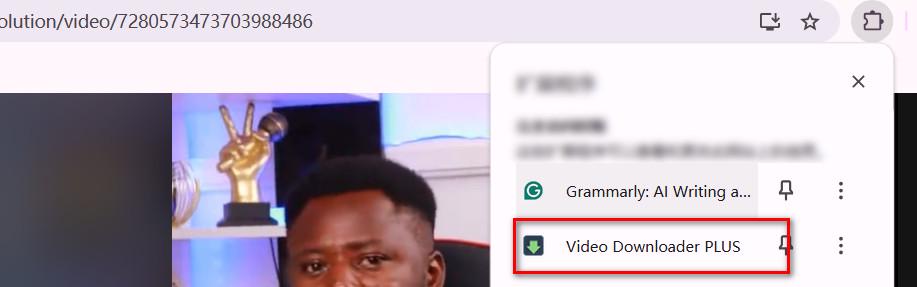
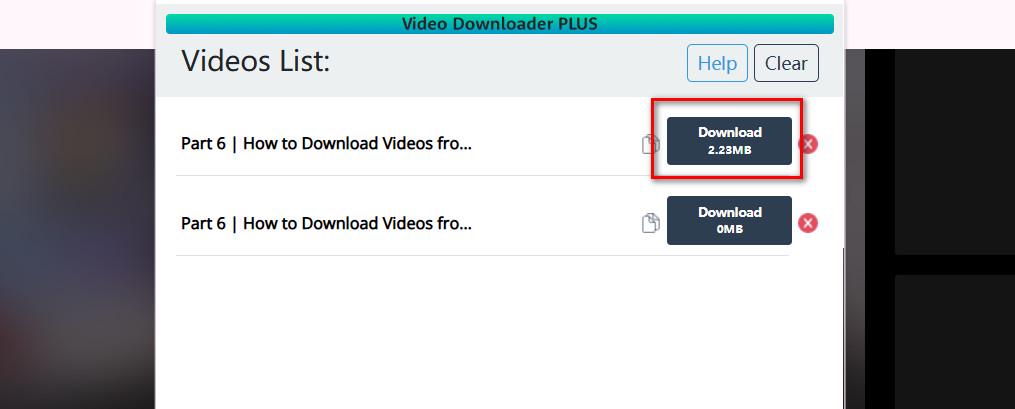
STEP 3. This extension will detect the video resources available on the current web page and pop up a window. Click “Download” on the right side of your target video.
Editor Note. Based on our tests, the video must be completely preloaded before you hit download. If you don’t wait, the tool will only download. Otherwise, you’ll only capture the portion that has already been buffered.
Way 4. Record Un-downloadable Web Video with FonePaw
Available on: Windows and Mac
Save from: YouTube, Netflix, Amazon Prime, Disney+, Udemy, Coursera, TikTok, Facebook, Twitch, Zoom recordings, and virtually any website that can be played on screen.
Screen recording streaming videos is often used as a fallback method when direct downloading is not working due to strict platform restrictions. This method is also useful when creating explainer videos. On the testing Windows PC, we used FonePaw Screen Recorder. It can capture your screen, system audio, and microphone input simultaneously, producing watermark-free videos with up to 1080p quality.
Note. Some streaming websites may display a black screen to prevent recording. If this happens, try disabling “Use graphics acceleration when available” in Chrome/Edge, or turn off “Use hardware acceleration when available” in Firefox before recording.
Read this guide if you want to save internet videos by recording with the FonePaw Screen Recorder.
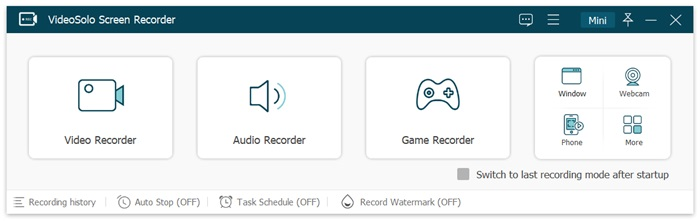
STEP 1. Download and install FonePaw Screen Recorder on your computer. Launch it and click “Video Recorder” on its interface.
STEP 2. Play the video you want to record, and choose the recording area. Select “System Sound” or “Microphone” as the audio source. Then click “REC”.
STEP 3. When you want to stop recording, click the “red square” button.
Editor Note. Since this method requires real-time recording, the entire process is time-consuming. A 3-min video took 3 minutes during testing.
FAQs About Downloading Videos from the Internet
Is it legal to download videos from any website?
Downloading videos from websites may be acceptable for personal use in some regions, but it depends on the website’s terms of service and local copyright laws. Some platforms restrict downloading or redistribution. Always ensure you download videos only for personal viewing and avoid using downloaded content for commercial purposes. If the streaming platform officially supports offline viewing, it is advisable to use the built-in offline feature as your safest option.
Why can’t some online video downloaders save certain videos?
Many online downloaders cannot handle encrypted or adaptive streams such as M3U8 or DRM-protected content. In addition, frequent platform updates, copyright restrictions, or IP blocking can cause online tools to stop working or fail to detect video sources correctly.
Can I download 4K videos from links?
The answer depends on whether the original source provides a 4K version and whether your chosen downloader supports preserving the original resolution. Our tests show that many free online video downloaders often limit outputs to 1080P, even when the source offered higher resolutions. By comparison, desktop video downloader software is generally more capable of preserving the original video quality, including HD and even 4K.
How to download a video from the internet in mobile?
Online video savers are viable options because they don’t require installing desktop software. However, our testing on both Android and iPhone showed inconsistent results. Some online tools failed to respond after tapping the download button, while others displayed repeated download errors or redirected to ads.
If downloading is not available, you can also try your phone’s built-in screen recorder. Keep in mind that some streaming services may block screen recording, resulting in a black screen or no recorded video.
How can I tell whether a website allows video downloads?
The easiest way is to check whether the website provides an official Download or Offline button that saves web videos directly to your device or within its app. Also, you can review the platform’s Terms of Service to confirm if downloading is permitted.
Where to find free and downloadable videos online?
If you want to download videos from the internet that are copyright-free, you can choose public domain and free copyright video platforms. These include: Internet Archive, Pexels, and Pixabay. You can easily grab video from the website without legal or term risks.
Conclusion
Now you know how to download videos from websites using desktop software, online video downloaders, browser extensions, or screen recording tools. The right method depends on the website, your device, and how often you download internet videos.
Based on our testing, online tools often displayed ads, browser extensions supported fewer websites, and screen recorders could be limited by playback restrictions. Overall, desktop software like TuneFab VideOne Downloader provides a more reliable downloading experience, especially for HD downloads and batch tasks.