




 Help Center
  Tutorials
  Download Center
 How to Download OnlyFans DRM Videos (5 Proven Ways)
By Iris Holmes
Updated on Jun 30, 2026
26.7K views
8-min read
OnlyFans applies Digital Rights Management (DRM) to protect creators’ videos from unauthorized copying, downloading, and redistribution. Even if you can stream a video in your account, saving it as a local file may still be limited by the creator’s permission, OnlyFans rules, copyright law, and local regulations.
For many subscribers, this limitation can be frustrating, especially when internet access is unstable or unavailable. If you’re looking for practical ways to download OnlyFans protected videos for personal offline use, understanding what actually works is essential.
In this guide, we’ll walk through 5 proven methods to handle OnlyFans DRM video downloads, but it is intended for content you are authorized to access and save. It does not support downloading private content without permission, bypassing paywalls, avoiding age verification, redistributing creator videos, or sharing downloaded files.
Also be careful with any tool that asks for cookies, auth tokens, private headers, CDM keys, browser session data, or full account access. These details can expose your account or trigger security checks. When possible, use official or creator-authorized download options first.
NOTE:
- To download OnlyFans DRM videos, there is no one-size-fits-all method. Third-party tools, browser extensions, open-source utilities, scripts, and recording tools all have different limits, privacy risks, and success rates.
- Among the five options below, a desktop tool such as TuneFab Video OnlyFans Downloader is easier for general users to test, but it should only be used for content you are allowed to save. Output quality, speed, and format depend on source access, platform restrictions, and tool support.
- Avoid methods that promise to save any private or protected video without limits. Test a small authorized sample first and verify quality, audio, subtitles, and account-safety signals.
- 1. Download OnlyFans DRM Videos with TuneFab Video OnlyFans Downloader
- 2. Download DRM OnlyFans Videos with Browser Extension
- 3. Download OnlyFans DRM-Protected Videos with Open-Source Tools
- 4. Record OnlyFans DRM-Protected Videos with VLC
- Comparison Table: 5 Methods to Download OnlyFans DRM-Protected Videos
- Ethical and Safe Downloading: Respect Creators & Use Responsibly
- FAQs About OnlyFans DRM
- Conclusion
1. Download OnlyFans DRM Videos with TuneFab Video OnlyFans Downloader
A professional OnlyFans video downloader, like TuneFab Video OnlyFans Downloader, is a top choice for those seeking a better overall downloading experience. This tool is designed to download DRM-protected OnlyFans videos for unlimited playback. The intuitive interface is easy to navigate. Once you log into the powerful web player, you can see what to do at first sight. Then, you can download OnlyFans videos to MP4, MKV, and MOV files with a few clicks. Once downloaded, you can transfer them to more devices for offline viewing with ease.
- Download Formats: MP4, MKV, MOV
- Video Quality: Original, up to 1080P
- Download Speed: High speed (3X or faster)
- Ease of Use: Easy for general users
- Notes: Built-in browser, suitable for general users, supports batch downloads
Below are step-by-step instructions on downloading OnlyFans DRM videos to your computer with the TuneFab Video OnlyFans Downloader.
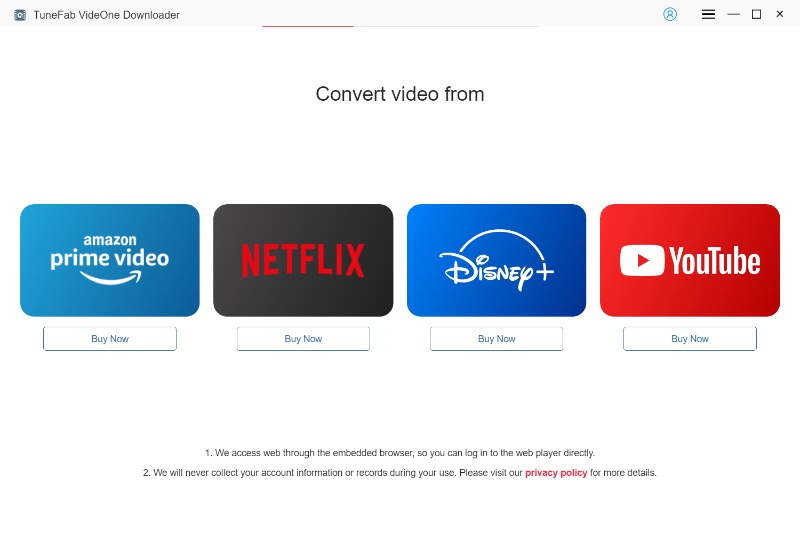
Step 1. Log into the OnlyFans Web Player
Download, install, and launch the TuneFab Video OnlyFans Downloader on your computer (Windows/macOS). Then, select OnlyFans and log in with your OnlyFans account information.
Risk note: Use only the official TuneFab download page. Do not enter your account information into cracked installers, mirror sites, or tools from unknown sources.
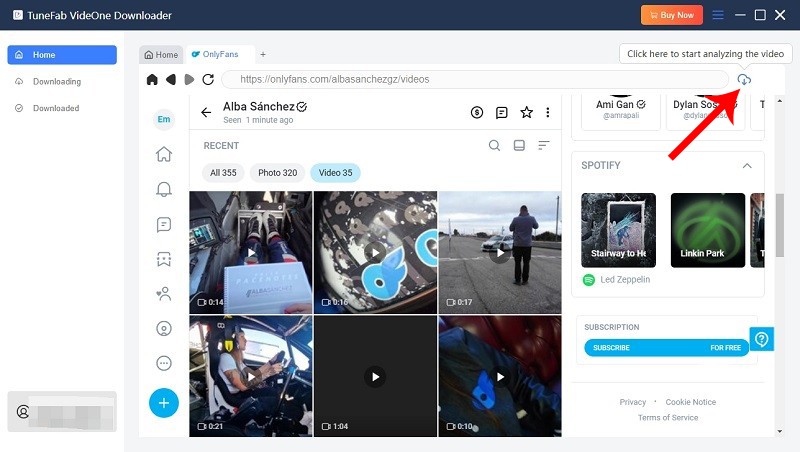
Step 2. Add Videos to the Conversion List
Browse the OnlyFans video you want to download. Then, click on the download button at the bottom right corner. Add only content you have permission to save. Do not use this workflow for private content, paywall bypass, or redistribution.
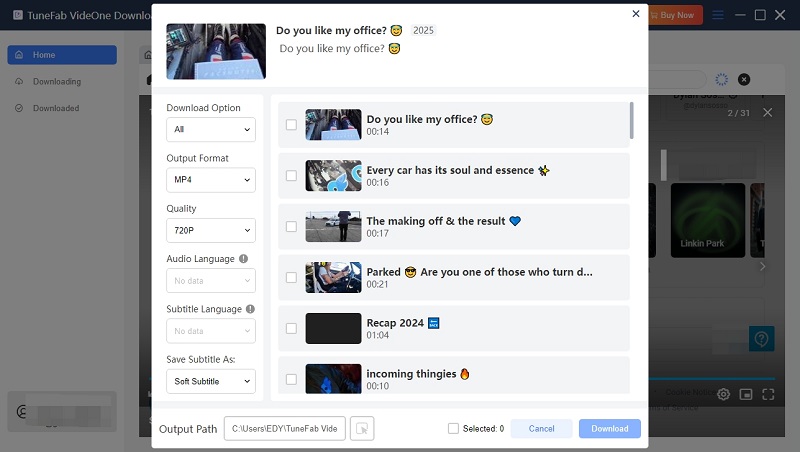
Step 3. Customize the Output Parameters
After a while, you can personalize parameters, including video quality, video codec, languages for audio/subtitles, etc.
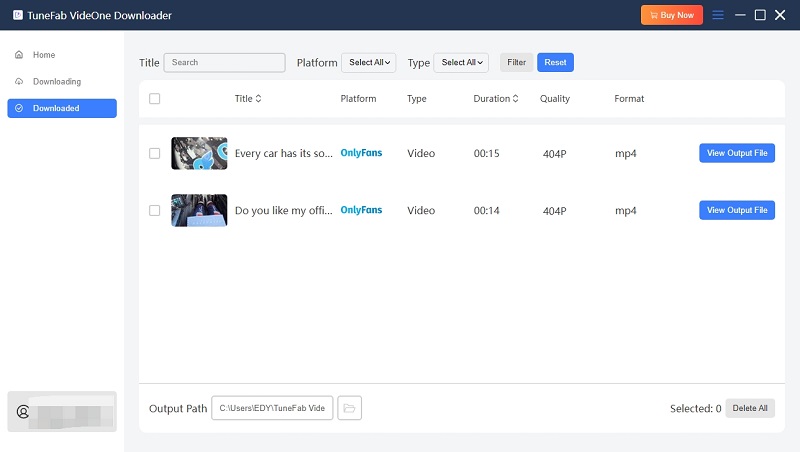
Step 4. Download & Check OnlyFans Videos
Tick the video you want and click the “Download” button, and it will download the added videos. After it finishes downloading, you can find the download history in “Downloaded”. Click “View Output File” next to each finished title to locate the files on your computer.
2. Download DRM OnlyFans Videos with Browser Extension
You’re likely familiar with browser extensions. Being added to browsers, they can extend the browser’s functionality and level up the browsing experience. Some extensions claim to work as an OnlyFans video downloader. However, browser extensions may fail on DRM-protected playback and may request broad browser permissions, so they should be tested carefully.
Streamfork is a browser extension. It is compatible with popular web browsers such as Google Chrome, Microsoft Edge, Brave, and other browsers based on Chromium 89+. Moreover, there is a mobile app for both Android and iOS devices. Use it only for supported media that you are allowed to save, and review its privacy policy and permissions before installation.
- Download Formats: MP4 / GIF / Images
- Video Quality: 720p–1080p
- Download Speed: Moderate
- Ease of Use: Easy to moderate
- Notes: Browser extension, fast downloads for posts and videos
Step 1. Download the Streamfork Extension CRX File from the official webpage.
NOTE: Avoid unofficial CRX mirrors or modified extension packages. Extensions can read browsing activity if granted broad permissions.
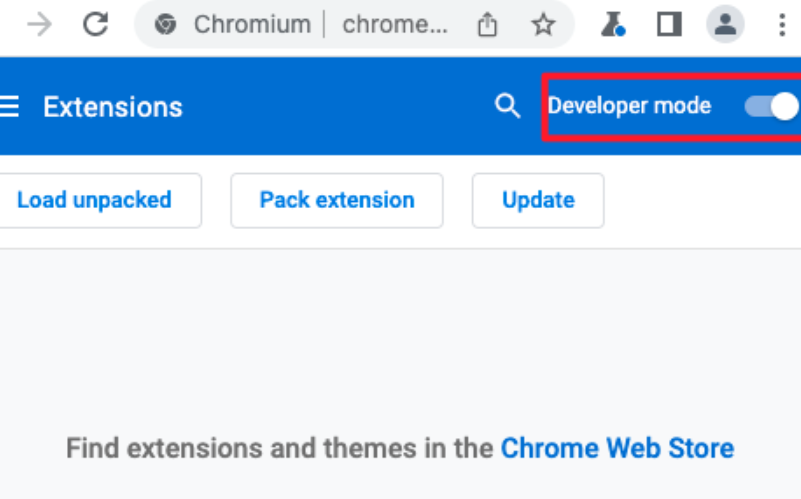
Step 2. Open Chrome, navigate to the extensions page (chrome://extensions or edge://extensions), and enable “Developer mode”.
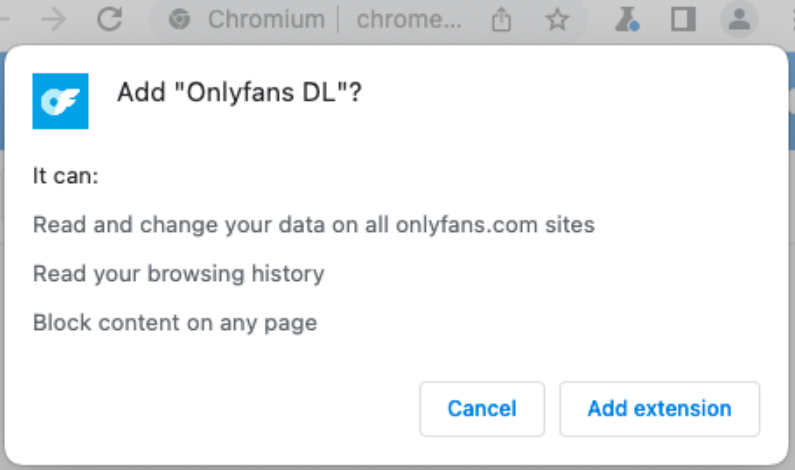
Step 3. Drag the CRX file you downloaded onto the extensions page and click “Add extension” to confirm your installation. Before confirming, review the permissions shown by the browser. If the extension asks for more access than expected, reconsider installation.
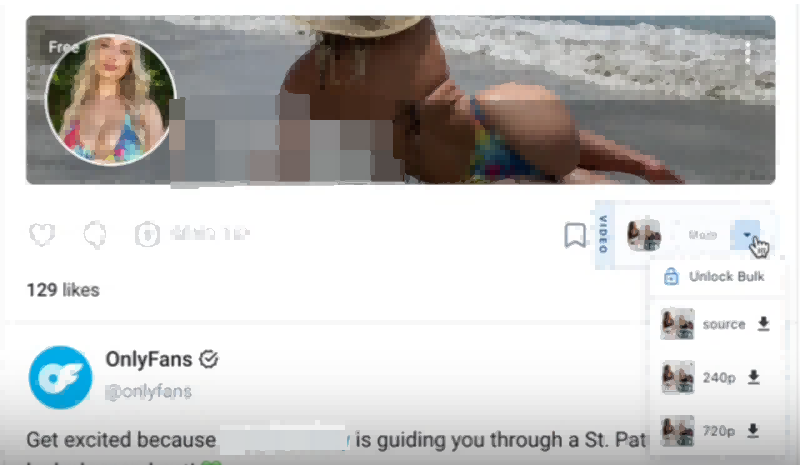
Step 4. After installing the extension, browse the supported OnlyFans feed or post, click the extension’s available download option, and select the resolution available for download.
3. Download OnlyFans DRM-Protected Videos with Open-Source Tools
The open-source tools are perfect for those who are tech-savvy. In this part, 2 free & open-source tools will be introduced to help you download OnlyFans DRM-protected videos.
Option 1. Download DRM Videos from OnlyFans with OF-DL
The first method is OF-DL, a C# console app for managing your OnlyFans content. When paired with FFmpeg, this tool allows you to download all OnlyFans videos to MP4, which can give more control over the content you are entitled to access.
However, OF-DL may require technical configuration and may involve sensitive account-related values. You’d better not share cookies, tokens, headers, or session information with untrusted tools.
- Download Formats: MP4
- Video Quality: Depends on the source
- Download Speed: Moderate, depends on system performance
- Ease of Use: Advanced
- Notes: Requires configuration and FFmpeg, suitable for tech-savvy users
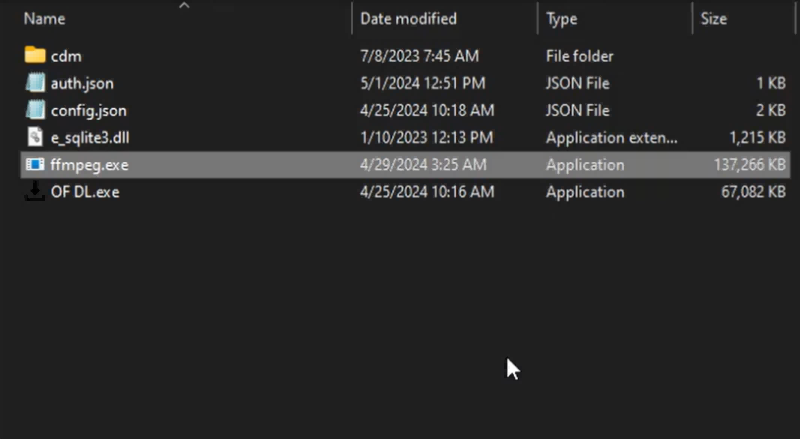
Step 1. Download the latest OF-DL from its official GitHub releasing page, unzip the file, and make sure it contains all the files included. Download FFmpeg from the official page, and unzip the file to look for the “ffmpeg.exe” file. Then, paste it to the previously unzipped “OF-DL” folder.
Note: Only use the official repository and official FFmpeg source. Avoid repacking tools, unknown forks, or downloading mirrors.
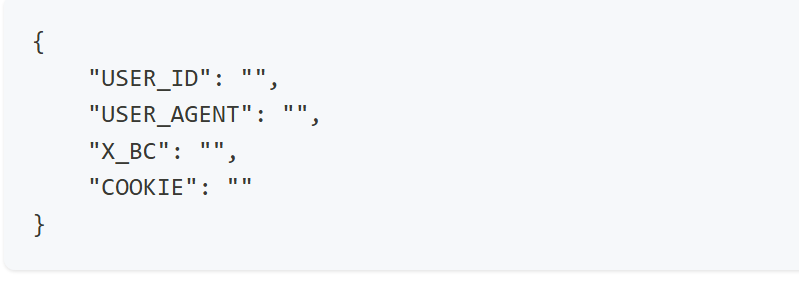
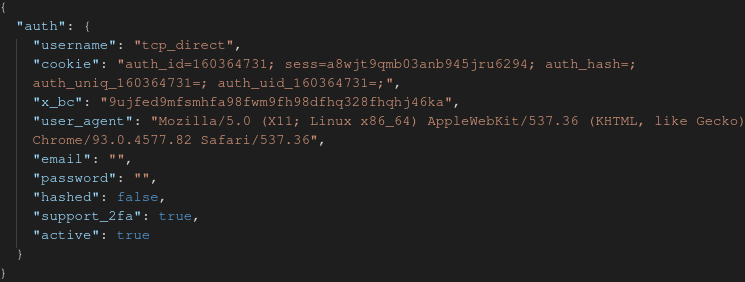
Step 2. Open the “auth.json” file with the Windows default text editor NotePad, and you’re required to input values for “USER_ID”, “USER_AGENT”, “X_BC”, and “COOKIE”.
Note: Some community tools may ask for account-related values. Treat cookies, user IDs, private headers, and session values as sensitive information. Do not paste them into tools you do not fully trust, and do not share them with others.
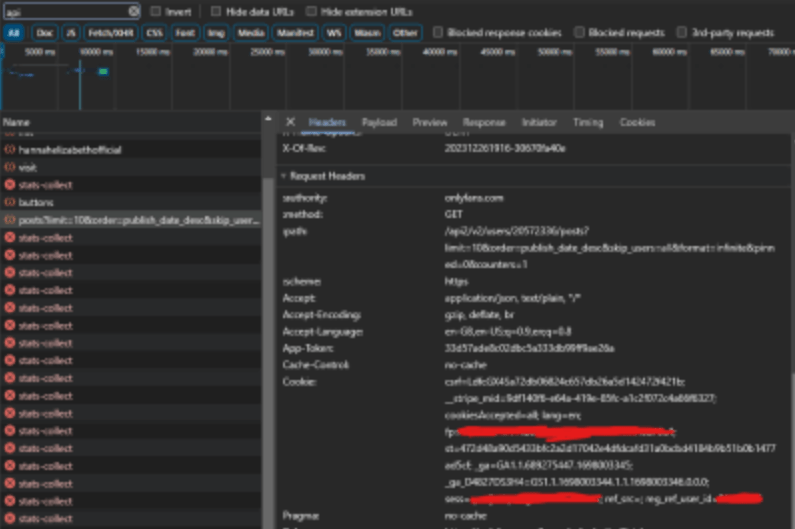
Log into OnlyFans, press F12 to open the dev tools, and search for “api”. Open any page on OnlyFans, you will see some requests appear in the list within the network tab. Click on one of the requests you see in the list, and scroll down until you find the ‘Request Headers’ section.
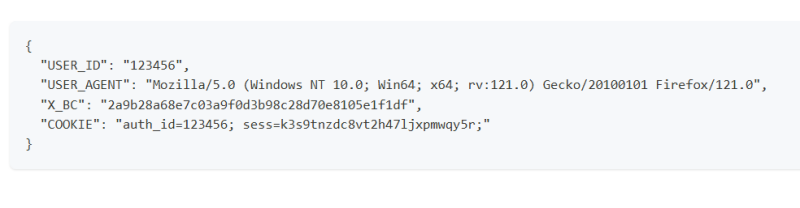
Then, search for the value required in the text editor and copy & paste the corresponding strings. The text editor should be as below after finishing the input.
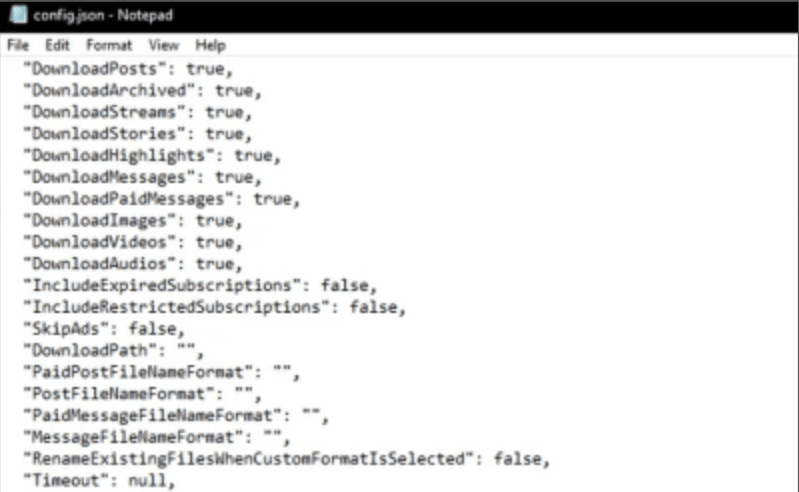
Now, open the “config.json” to select “true/false” to configure all download settings you can change with the tool.
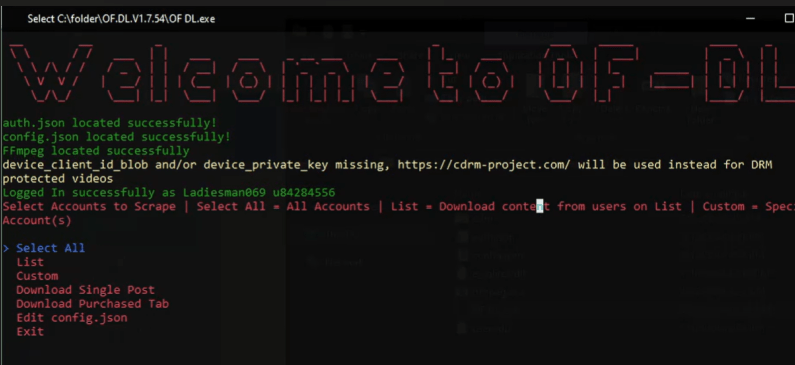
Step 3. Back to the main folder of OF-DL, double-click the “OF-DL.exe”, and a command prompt window will appear. After a message in the green text “Logged In successfully as {Your Username} {Your User Id” appears, you can select the wanted prompt with “Upward/downward arrow” and confirm your option with “Enter”. The content will be downloaded accordingly.
NOTE: Avoid aggressive bulk downloading, automated scraping, or any setting that may look like abnormal account activity. These behaviors can create account-safety risks.
Option 2. Download OnlyFans DRM Videos with Script
UltimaScraper is another open-source script designed to help you download content from OnlyFans. Videos downloaded with this script are typically saved in MP4 format, preserving the original resolution and quality available on OnlyFans, which can be up to 1080p or higher depending on the source.
Scripts usually require programming knowledge and manual configuration. They may also expose sensitive account information if used incorrectly, so they are not recommended for beginners.
- Download Formats: MP4
- Video Quality: 720p–1080p
- Download Speed: Moderate
- Ease of Use: Advanced
- Notes: Programming experience required, manual setup needed, higher privacy and account-safety risk
Step 1. Visit the UltimaScraper GitHub page and download the ZIP file or clone the repo using Git: git clone https://github.com/UltimaHoarder/UltimaScraper.git
Note: Unknown forks or modified scripts may contain unsafe code. Only review official sources, and do not run scripts you do not understand.
Step 2. Install Node.js (version 14 or above) and verify installation with: node -v. Avoid copying random terminal commands from comments, forums, or unofficial tutorials.
Step 3. Extract the ZIP file (if applicable) and open a terminal or command prompt in the UltimaScraper folder. Run: npm install to install required dependencies.
Note: This page does not provide cookie, x-bc, user-agent, private-header, or auth-file extraction instructions. Treat those values as sensitive account data.
Step 4. You need to manually get three important authentication values: cookie, x_bc, and user_agent.
- Open Chrome and log into OnlyFans.
- Open Chrome Developer Tools (press F12), go to the Network tab.
- Reload the page or play a video, then find a network request with headers containing cookie and x-bc values.
- Copy the full cookie string, the x-bc header value, and the user-agent string from the request headers.
Step 5. Open or create the file at ‘user_data/profiles/default/auth.json’ inside the UltimaScraper folder. Edit the file with the following JSON structure, replacing the placeholders with your copied values:
{

"cookie": "your_copied_cookie_here",

"x_bc": "your_copied_x-bc_here",

"user_agent": "your_copied_user-agent_here"

}
Step 6. Save the ‘auth.json’ file. Then, run the script with: node index.js
Step 7. The script will use the provided authentication data to access your OnlyFans account, fetch video URLs you’re authorized to download, and save the videos as MP4 files in the default ‘downloads’ folder. The video quality will usually match what’s available on OnlyFans, up to 1080p.
4. Record OnlyFans DRM-Protected Videos with VLC
You can record streaming OnlyFans videos by capturing the stream with VLC media player. This requires locating the video stream URL via Firefox using The Stream Detector plugin and then recording it in VLC. The recorded videos are saved locally in standard MP4 format. The video quality depends on the streaming quality at the time of recording, usually up to 720p or 1080p, but it may vary due to real-time recording conditions.
Remember that this method may not work for DRM-protected playback, may show a black screen, and may create copyright or platform-rule risks if used without permission, so make sure you use legally.
Required tools: Firefox browser, The Stream Detector plugin, VLC media player
- Download Formats: MP4
- Video Quality: 720p–1080p (depends on stream quality)
- Download Speed: Real-time recording
- Ease of Use: Moderate
- Notes: Manual recording, quality depends on playback and network, best for occasional saving
Step 1. Install Firefox and add The Stream Detector plugin from the Firefox Add-ons store. Use official add-on sources only and review the extension permissions before installing.
Step 2. Log into your OnlyFans account in Firefox and play the video you are authorized to view and save.
Step 3. Use The Stream Detector to find and copy the active transport stream URL of the video. If DRM blocks the capture or the recording shows a black screen, do not try to bypass the restriction with hardware tricks, browser protection changes, or private stream extraction.
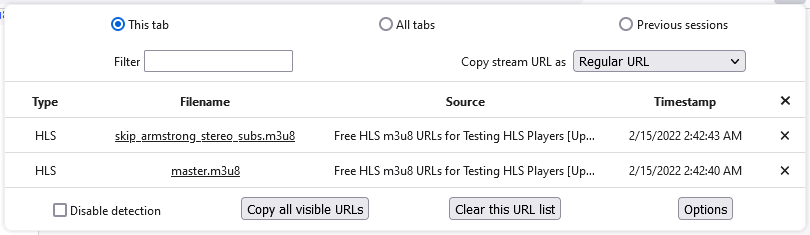
Step 4. Open VLC media player, click Media > Open Network Stream, and paste the copied URL.
Step 5. Start playback in VLC.
Step 6. Click the Record button in VLC to start recording the video stream.
Step 7. When done, stop the recording; the video file will be saved to your computer.
Comparison Table: 5 Methods to Download OnlyFans DRM-Protected Videos
| Method | Supported Devices | Download Format | Video Quality | Ease of Use | DRM Support | Risk Note |
| TuneFab Video OnlyFans Downloader | Windows / macOS | MP4 / MKV / MOV | Original quality, lossless | ⭐⭐⭐⭐⭐ | ✅ | Use only for authorized content; test one sample first |
| StreamFork Downloader | Chrome / Edge / Brave / Android / iOS | MP4 / GIF / Images | 720p–1080p | ⭐⭐⭐⭐ | ✅ | Review browser permissions carefully |
| OF-DL (Open-Source Tool) | Windows (C#) | MP4 | Original quality | ⭐⭐ | ✅ | Avoid sharing sensitive account/session data |
| UltimaScraper (Script) | Windows / macOS / Linux | MP4 | 720p–1080p | ⭐⭐ | ✅ | Higher privacy and account-safety risk |
| VLC (Screen Recording) | Windows / macOS / Linux | MP4 | 720p–1080p (depends on stream) | ⭐ | ❌ | Get permission first; do not bypass capture restrictions |
Ethical and Safe Downloading: Respect Creators & Use Responsibly
When downloading OnlyFans videos, it’s important to prioritize safety and respect for both creators and yourself. Keep these guidelines in mind:
- Respect Copyright & Creators’ Rights – Content on OnlyFans belongs to the creators who publish it. Downloaded videos should only be for personal viewing. Never share, resell, or upload them to other platforms without the creator’s explicit permission, as this can result in copyright infringement and legal action.
- Obtain Creators’ Consent (If Possible) – Before downloading any content, make sure you have the creator’s explicit consent. Many creators may allow personal offline viewing but not redistribution. Asking for permission not only protects you legally but also shows respect for the creator’s work and boundaries.
- Avoid Security Risks – Only use reputable download tools from trusted sources. Some third-party services may contain malware, phishing attempts, or spyware that can compromise your device and personal data. Always double-check the software’s authenticity and update it regularly.
- Ethical Responsibility – Remember that creators rely on subscriptions as their income. By supporting them directly and not sharing content illegally, you help maintain a fair ecosystem for everyone.
FAQs About OnlyFans DRM
Is It Legal to Download OnlyFans DRM Videos?
It depends on your location, the creator’s permission, OnlyFans rules, and how the content is used. Circumventing DRM, saving content without authorization, or redistributing creator videos may create legal and account risks. If you need an offline copy, use official or creator-authorized options first and keep written permission when possible.
Will OnlyFans Detect Downloads?
OnlyFans does not offer an official download feature outside its platform, so third-party downloads are not recognized as standard behavior. There is no public indication that OnlyFans sends a specific alert when a video is saved locally.
However, OnlyFans may still monitor account activity patterns, such as unusual login behavior, excessive requests, or automated actions. These signals are part of normal security checks and are not tied to a single “download detected” event.
In short, downloads may not be directly flagged as a single event, but unofficial tools, excessive requests, bulk automation, or suspicious login behavior may still create account risk. Keep usage limited, authorized, and responsible.
How to Turn on DRM on OnlyFans?
You can turn on DRM protection for all uploaded videos by navigating to the options in order: Select the OnlyFans profile, click on “More” > “Settings” > “Privacy and safety”, and scroll down to find “Enable DRM video protection”.
Can You Bypass OnlyFans Paywall?
No. This article does not support bypassing subscriptions, paid messages, private content, or creator access controls. Only access content through official paid access or creator-approved channels.
How to Bypass OnlyFans Age Verification?
Do not attempt to bypass age verification. OnlyFans uses age and identity checks to comply with legal and platform requirements. Use the official verification process and provide valid information where required.
How to Bypass OnlyFans Screen Record Block?
This article does not recommend bypassing screen-recording restrictions. Some protected playback environments may show a black screen to protect creator content. If you need offline access, ask the creator for a downloadable version or written permission.
Conclusion
The key to downloading OnlyFans DRM videos is not only whether a tool can detect the video, but whether you have permission to save it and whether the method protects your account and privacy. The five options above can still be compared, but each one needs clearer limits and safety notes.
For general users, TuneFab Video OnlyFans Downloader is a better option to test with authorized content. Browser extensions may work for some supported media, while OF-DL and scripts are better suited to advanced users who understand the risks. VLC-style recording should be treated as a limited option where recording is allowed, not as a workaround for protected playback.
Keep CTA language conservative, verify claims with real test data, and avoid promising 100% safety, universal legality, etc. for every OnlyFans video.