




 Help Center
  Tutorials
  Download Center
 12 Best OnlyFans Video Downloaders for 2026 [PC & Mobile]
By Iris Holmes
Updated on Jul 08, 2026
26.9K views
12-min read
Important:
- Before choosing an OnlyFans video downloader, make sure you are saving only videos that you can already access through an active subscription, creator permission, or an official download option.
- For personal offline viewing or local organization, start with the safest path: check whether the creator or platform provides an official download first. If not, choose the tools below as an alternative.
- OnlyFans content may be protected by copyright and platform terms. Do not redistribute, resell, repost, or share creator content without permission. This guide does not recommend tools for bypassing paywalls, login requirements, DRM restrictions, private content, or creator permissions.
OnlyFans is a popular platform where creators share exclusive content with their subscribers. However, the official app and website still do not offer a reliable way to download its videos or media for offline viewing. This limitation becomes especially frustrating when you want to watch content without buffering, during travel, or in areas with unstable internet access.
Even with an active subscription, most OnlyFans videos can only be streamed online. That’s why many users look for safe and effective downloaders to save content they are already authorized to view.
To help you solve this problem, this updated guide separates the available options into five practical scenarios: official or creator-provided downloads, desktop software, browser extensions, open-source tools, and mobile methods. Each option is explained with its best use case, limits, and safety considerations.

- Before You Download: Learn Copyright, Platform Terms, Privacy & Account Safety
- Official or Creator-Provided Ways to Save OnlyFans Videos
- Best Desktop OnlyFans Video Downloader for PC & Mac
- Best Browser Extensions for Quick OnlyFans Downloads
- Best Open-Source OnlyFans Downloader for Advanced Users
- Best OnylFans Downloader for Android & iOS
- Comparison of Best OnlyFans Video Downloaders
- FAQs
Before You Download: Learn Copyright, Platform Terms, Privacy & Account Safety
An OnlyFans subscription gives you access to creator content, but access does not automatically mean you can redistribute, repost, resell, or share that content. Before saving any video, review your local copyright rules, OnlyFans’ Terms of Service, and any permission granted by the creator.
Use these rules as a baseline:
- Only save videos you can already view through your own active account, creator permission, or an official download option.
- Do not use downloaders to bypass subscriptions, paywalls, login requirements, DRM restrictions, private content, or creator restrictions.
- Do not enter your OnlyFans password into random online downloader websites or third-party pop-ups.
- Be cautious with browser extensions that request broad permissions such as “read and change all data on all websites.”
- Enable a strong password and 2FA on your OnlyFans account to reduce account-security risks.
- Avoid aggressive bulk downloading, automated scraping, or behavior that may look unusual from an account-security perspective.
If a video is protected, restricted, or not offered through a permitted workflow, respect that limitation instead of looking for bypass methods.
Official or Creator-Provided Ways to Save OnlyFans Videos
Best for: users who want the lowest-risk way to keep content offline when a creator or platform explicitly provides a download option.
OnlyFans does not provide a universal download button for all videos. However, if a creator provides downloadable files, sends content with explicit permission to save, or offers another official way to keep a copy, use that route first. It avoids unnecessary login-sharing, browser-extension permissions, and third-party processing risks.
Pros
- Lowest privacy and account-security risk
- No need to install third-party extensions or share session data
- Best aligned with creator permission and platform rules
Cons
- Not available for every video or creator
- May not support batch saving or format conversion
- Still does not allow redistribution without permission
Best Desktop OnlyFans Video Downloader for PC & Mac
#1 TuneFab VideOne OnlyFans Downloader
Best for: users who want to download DRM-protected OnlyFans videos in high quality and manage multiple creators efficiently on PC.
| Output Format | Max Quality | Batch Download | Based on | Ease of Use |
| MP4, MKV, MOV | 1080p | ✅ | Windows, macOS | High (GUI) |
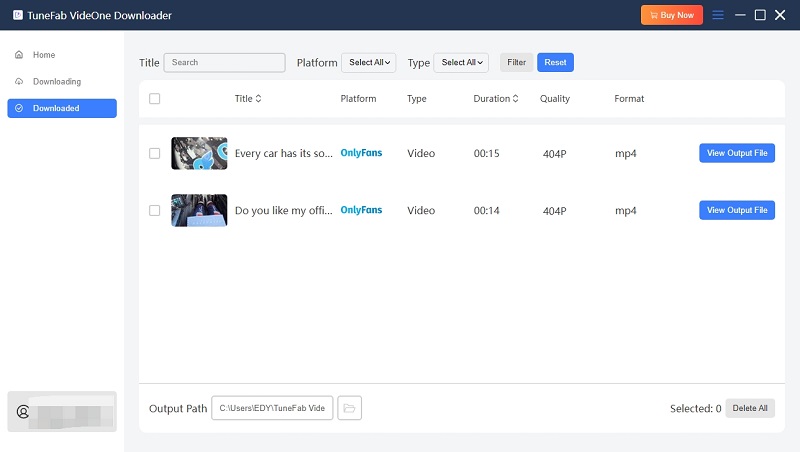
TuneFab VideOne OnlyFans Downloader is a desktop OnlyFans video downloader for those who want to save and manage accessible videos on PC or Mac. Known for its user-friendly interface, this downloader makes it easy to save videos in high quality up to 1080p. The software can download OnlyFans videos in MP4, MKV, or MOV formats, and typically delivers download speeds around 2–3× real-time playback.
Better yet, it supports downloading videos through a built-in browser that follows the official OnlyFans login flow. Batch downloads from creator pages are stable, with very low crash rates even during long sessions, making it suitable for users who want to build a long-term offline library.
Key Features of TuneFab VideOne OnlyFans Downloader:
- Downloads OnlyFans videos in DRM-free formats including MP4, MKV, or MOV.
- Supports up to 1080p resolution, preserving original video and audio quality.
- Offers up to 3x faster speeds, with the potential for even quicker downloads.
- Built-in web browser for easy searching and downloading of OnlyFans videos.
To download OnlyFans videos to MP4/MKV/MOV with this tool, follow these easy steps:
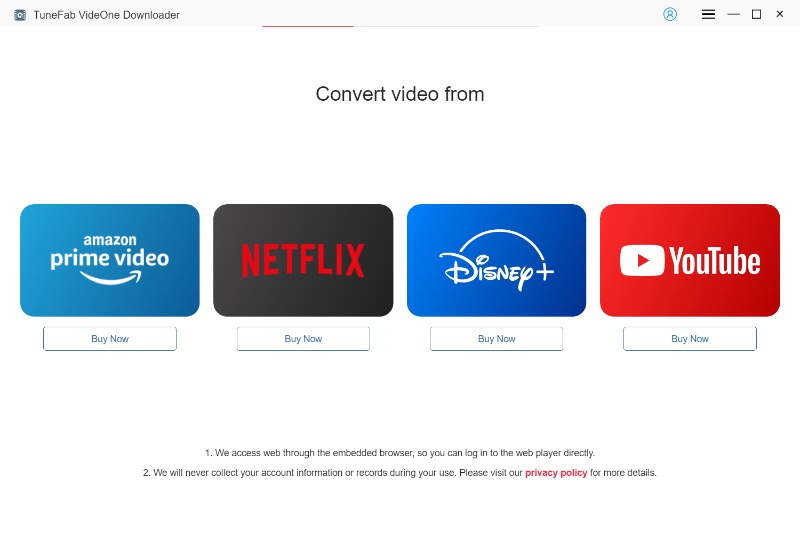
Step 1. Select OnlyFans as Your Service
Open TuneFab VideOne and choose OnlyFans from the list of available platforms to start the process.
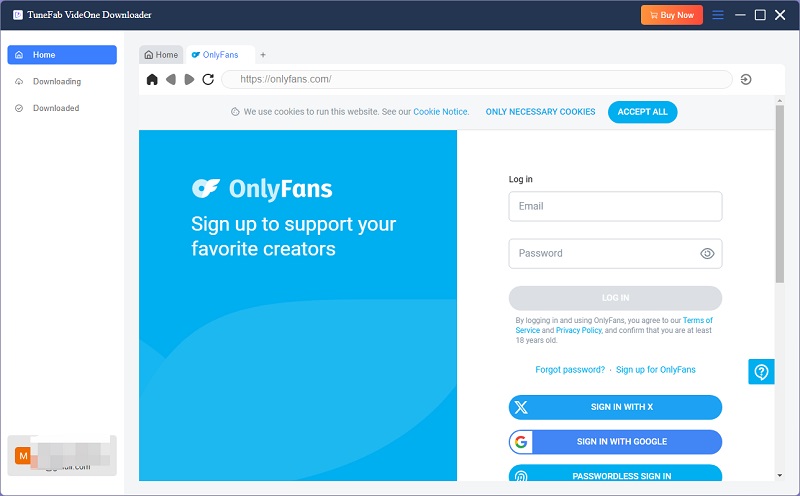
Step 2. Log Into Your OnlyFans Account
Click “Log In” and enter your OnlyFans credentials to access your feed and select the videos you want to download. Make sure you are logging in through the official OnlyFans flow and only accessing videos from your own active subscription or creator-approved sources.
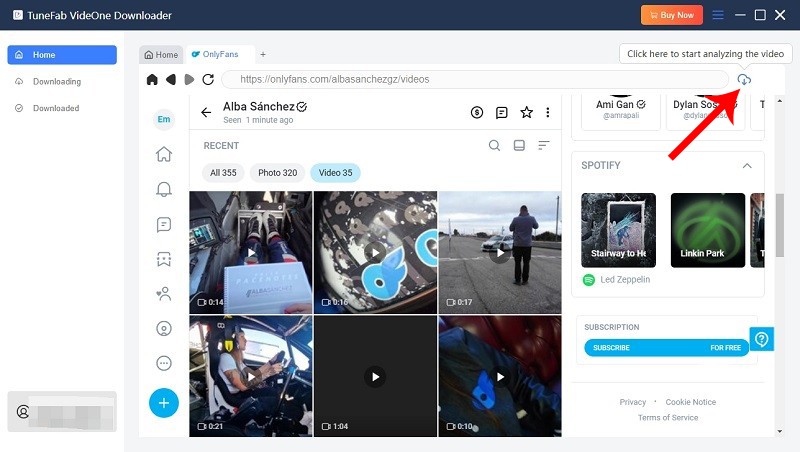
Step 3. Add Videos to Your Download List
Find the video you want to save and add it to the download list.
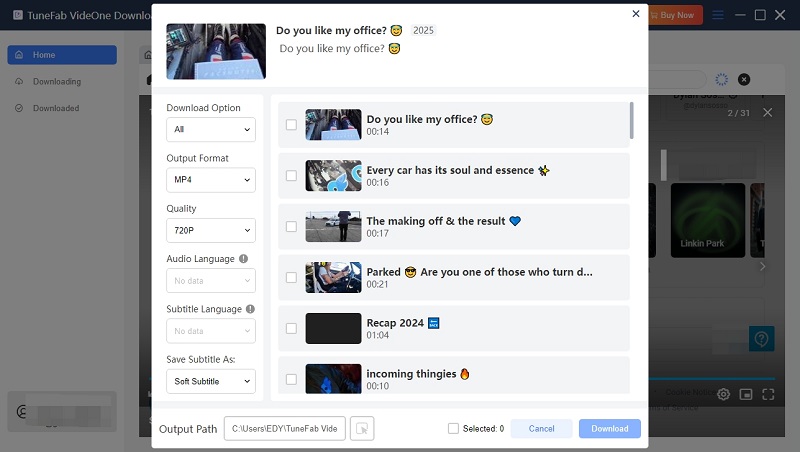
Step 4. Choose Output Format and Quality
In the parameter window, select your preferred format (MP4, MKV, MOV) and quality before downloading.
Step 5. Start Downloading
Select the video and click “Download” to start downloading the videos in your queue. Once finished, go to the “Downloaded” section and click “View Output File” to access your downloaded videos.
Best Browser Extensions for Quick OnlyFans Downloads
Browser extensions are best for occasional, one-by-one downloads from pages you can already access. They are convenient because they work inside the browser, but they also carry higher privacy and stability risks: extensions may request broad site permissions, break after platform updates, or disappear from official extension stores.
Before installing any extension, check its source, update history, reviews, requested permissions, and whether it asks you to enter your OnlyFans password outside the official OnlyFans domain.
#2 OnlyFans Video Downloader Global
Best for: Casual users who want quick, one-off downloads without installing desktop software.
| Output Format | Max Quality | Batch Download | Based on | Ease of Use |
| MP4, WebM | 1080p | ❌ | Chrome Extension | High |
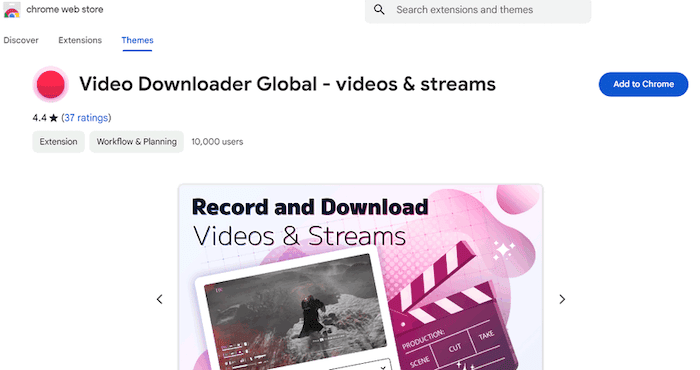
OnlyFans Video Downloader Global is a straightforward browser extension that allows you to easily download videos from OnlyFans without the need for extra software. Once installed, this free OnlyFans downloader integrates seamlessly into your browser, providing a simple “Download” button directly on the video page. This extension can download OnlyFans to MP4 and WebM formats, allowing you to choose the best quality for your videos.
While it’s an efficient and free tool, it’s essential to note that the downloader may have some limitations with premium content or websites that implement extra security measures. However, for regular users looking to save videos quickly, it remains one of the easiest and most reliable options available.
Pros:
- One-click download for easy access.
- Supports various video formats.
- Free to use.
- Simple, browser-based interface.
Cons:
- May not work with premium-only content.
- Limited features compared to more comprehensive downloaders.
- Compatibility issues with some browsers may arise.
#3 Locoloader OnlyFans Downloader
Best for: Multi-platform users who occasionally download non-DRM content and prioritize simplicity over quality.
| Output Format | Max Quality | Batch Download | Based on | Ease of Use |
| MP4 | 720p | ❌ | Chrome/Firefox Extension | Medium |
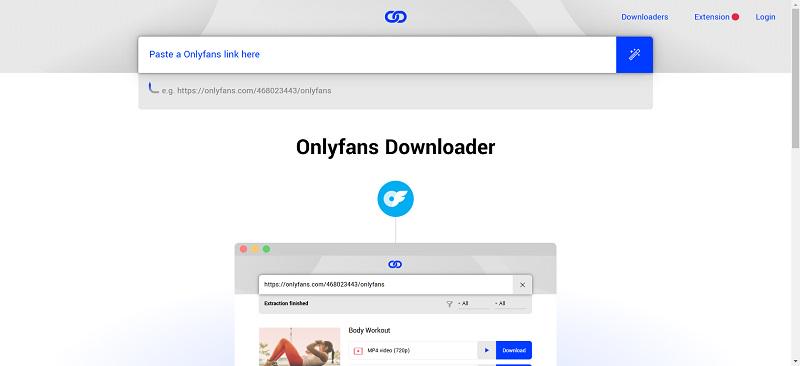
Locoloader’s OnlyFans Downloader is a browser extension designed for Chrome and Firefox, enabling users to download videos from OnlyFans and other platforms like Fansly, TikTok, and ManyVids. It exports videos in MP4 format with a maximum resolution of 720p and does not support DRM-protected or private videos.
The tool is free to use, with a limit of two video downloads every six hours; unlimited downloads are available through a $15/month subscription. Installation requires manual setup from the official GitHub repository, as it’s not available in the Chrome Web Store due to content restrictions. Users should be aware of potential privacy concerns, as the extension may access browser history.
For users seeking a straightforward solution to download OnlyFans videos, Locoloader offers a convenient option, albeit with some limitations regarding video quality and privacy considerations.
Pros:
- Free to use with no ads
- Supports multiple platforms beyond OnlyFans
- Simple download process
Cons:
- Limited to 720p resolution
- Cannot download DRM-protected or private videos
- No batch download or auto-download features
- Manual installation required
- Potential privacy concerns due to browser history access
#4 Downloader for onlyfans.com
Best for: Users who want the simplest possible workflow for downloading individual OnlyFans videos.
| Output Format | Max Quality | DRM Removal | Batch Download | Based on | Ease of Use |
| MP4 | 1080p | ❌ | ❌ | Chrome Extension | High |
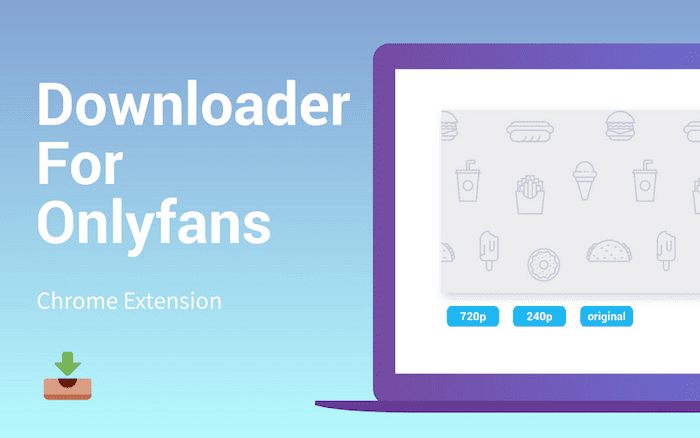
Downloader for onlyfans.com is a minimalist yet effective extension designed specifically for downloading videos from OnlyFans. What sets this tool apart is its automatic video detection, which makes the download process seamless and hassle-free. Once the extension is installed in your browser, you simply need to visit the video page, and the tool will automatically recognize the content, offering a one-click download option. It supports HD video downloads, ensuring that your saved content retains its quality.
While this extension offers a quick and easy way to save videos, its functionality is limited to OnlyFans content, meaning it won’t work for other streaming sites. It’s perfect for users who primarily download videos from OnlyFans posts or even from messages and want a hassle-free solution for quick video downloads.
Pros:
- One-click download functionality.
- Supports HD video quality.
- Easy to use with no extra software required.
- Lightweight and minimalistic design.
Cons:
- Only works with OnlyFans, not other platforms.
- Limited to basic features without customization.
- May not support certain premium content or security protocols.
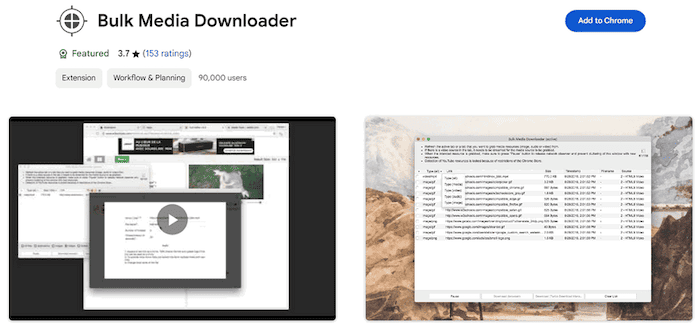
#5 Bulk Media Downloader
Best for: Users who download large volumes of public or semi-public media across multiple platforms.
| Output Format | Max Quality | Batch Download | Based on | Ease of Use |
| MP4 | 1080p | ✅ | Browser Extension | High |
Bulk Media Downloader stands out with its ability to download multiple videos at once, making it an excellent choice for users who need to save large quantities of content quickly. Unlike other downloaders that require you to add videos individually, this extension allows you to download entire playlists or batches of videos, which saves you time and effort. It works not only with OnlyFans but also with a wide range of other websites, including social media platforms and streaming services, providing great flexibility for users who download from various sources.
One of the key advantages of this bulk OnlyFans downloader is its speed, enabling faster download rates when handling multiple files. However, its broad focus across different platforms means it lacks some of the advanced features that are specific to OnlyFans, such as automatic video quality selection or content filtering.
Pros:
- Supports bulk downloading, saving time with multiple files.
- Works across a wide range of websites, not just OnlyFans.
- Fast download speeds, especially for large batches.
- Simple and easy to use with a minimal interface.
Cons:
- Lacks advanced features tailored for OnlyFans (e.g., automatic quality selection).
- Limited customization for output formats and settings.
- May not offer the same level of reliability for premium content.
Best Open-Source OnlyFans Downloader for Advanced Users
Open-source tools can be useful for advanced users who want local control and transparent code, but they are not beginner-friendly. They may require cookies, command-line setup, or manual authentication, which increases account and session-security risk if configured incorrectly.
Use these tools only for content you are allowed to access and archive. Do not use scripts for scraping, bypassing subscriptions, evading creator restrictions, or redistributing downloaded files.
#6 Mediadown OnlyFans Downloader
Best for: Tech-savvy users, developers, or users who prefer open-source tools and don’t mind manual setup.
| Output Format | Max Quality | Batch Download | Based on | Ease of Use |
| MP4 | 1080p | ✅ | Windows, macOS, Linux | Medium |
Mediadown OnlyFans Downloader is an open-source option for users who prefer more control over setup and file handling. It is better suited to developers or advanced users than beginners because installation and configuration may require technical knowledge.
This type of tool may be useful for organizing accessible files, skipping existing downloads, or using a more transparent local workflow. However, open-source projects can change quickly, and users should verify the current repository, release activity, issues, and permissions before relying on any specific feature.
Pros:
- Supports batch downloading of OnlyFans content
- High-quality video downloads (up to 1080p)
- Can download DRM-protected HLS video streams
- Free and open-source with optional GUI or paid extension
- Lets you filter or skip already downloaded content
Cons:
- Downloading over 50GB a day may trigger account issues
- Only offers a 3-day free trial
- Some features may require technical setup or login credentials
#7 onlyfans-dl-2
Best for: Advanced users, archivists, and developers managing large-scale creator libraries.
| Output Format | Max Quality | Batch Download | Based on | Ease of Use |
| Original (MP4, JPG…) | 1080p | ✅ | Windows, macOS, Linux | Low |
onlyfans-dl-2 is an open-source command-line tool developed by Voldrix. It was designed for downloading content from OnlyFans and exporting full creator profiles, inclusive of videos, images, audio, and metadata. Written in Python, it affords configurable settings with regard to authentication, filtering, and file organization.
Being run from the terminal or as a script, onlyfans-dl-2 is ideally used by advanced users or developers who are comfortable using the command line and configuring cookies by themselves. The ability that it boasts would grant it the superlative for large-scale archiving of OnlyFans content: full library syncing, incremental updates, and file deduplication.
Pros:
- Completely free and open-source
- Supports batch downloading of all user content (posts, messages, media)
- Respects existing downloads (skips already downloaded items)
- Preserves original media quality (no compression)
- Can be automated with scripts for regular syncing
- Actively maintained and community-supported on GitHub
Cons:
- Requires Python and command-line knowledge
- Manual setup for cookies and login authentication
- No graphical interface (not beginner-friendly)
- No DRM removal—only works with accessible content via login
Best OnylFans Downloader for Android & iOS
For those who prefer downloading videos directly to their mobile devices, there are several great options available. Whether you’re using an Android or iOS device, these mobile downloaders offer the flexibility and convenience to save your favorite OnlyFans videos on the go. Below are some of the best OnlyFans video downloaders for mobile devices.
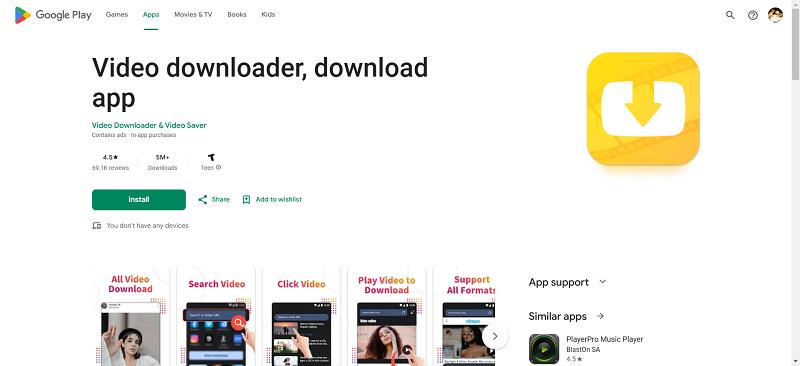
#8 AhaSave (Android)
Best for: Android users who want quick offline access to a small number of non-DRM OnlyFans videos while traveling or on mobile data.
| Output Format | Max Quality | DRM Removal |
Batch Download | Based on | Ease of Use |
| MP4 | 1080p | ❌ | ❌ | Android | High |
AhaSave is a versatile and user-friendly downloader for Android that enables easy downloading from a variety of websites, including OnlyFans. It focuses on providing a seamless experience with a simple interface. The app supports Android 7.0 and above, exports videos mainly in MP4 format, and delivers output quality up to HD depending on the source stream. Download speed is usually close to real-time playback, making it suitable for short videos.
This app is especially popular for its reliability and speed, making it a solid choice for users who want a fast, hassle-free video downloading solution. However, it does not support batch downloads or DRM-protected videos, which limits its use for heavy or long-term downloading.
Although AhaSave offers great flexibility, it’s not as feature-rich as some other downloaders that are dedicated to OnlyFans alone. It lacks some of the customization options available in other tools, such as the ability to fine-tune video settings or choose specific video codecs.
Pros:
- Simple, easy-to-use interface.
- Supports HD video quality downloads.
- Quick download speeds.
- Works across multiple websites, not just OnlyFans.
Cons:
- Lacks advanced customization options.
- Limited to basic video downloading features.
- Doesn’t offer specific settings for OnlyFans content.
#9 StreamFork (Android)
Best for: Android users who need DRM-capable downloads on mobile and prefer a single tool across browser and phone.
| Output Format | Max Quality | Batch Download | Based on | Ease of Use |
| MP4 | 1080p | ❌ | Android | Medium |
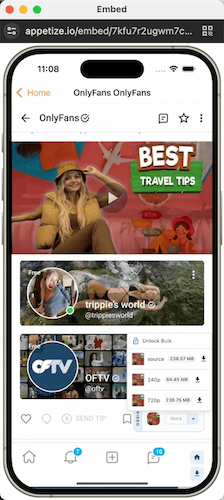
StreamFork is a versatile and powerful downloader for both browsers and Android devices, specifically designed to download content from platforms like OnlyFans. Available as a browser extension and a mobile app, StreamFork offers seamless compatibility with popular browsers like Google Chrome, Microsoft Edge, and Brave. Videos are usually saved in MP4 format with HD quality preserved when DRM decryption succeeds, and download speed can be slightly faster than real-time playback on stable connections.
While StreamFork works smoothly across both desktop and mobile devices, it may require occasional updates to ensure full functionality. However, its cross-platform capabilities and efficient performance make it an excellent tool for users who want reliable access to OnlyFans content on multiple devices.
Pros:
- Supports DRM video downloads from OnlyFans.
- Available as both a browser extension and mobile app.
- Continuous optimization and regular updates.
- Works across multiple browsers and devices.
Cons:
- Occasional updates required for full functionality.
- Limited to OnlyFans and a few other platforms
#10 Documents by Readdle (iOS)
Best for: iPhone and iPad users who want a safe, App Store–approved method to save non-DRM videos manually.
| Output Format | Max Quality | Batch Download | Based on | Ease of Use |
| MP4, MOV | 1080p | ❌ | iOS | Medium |
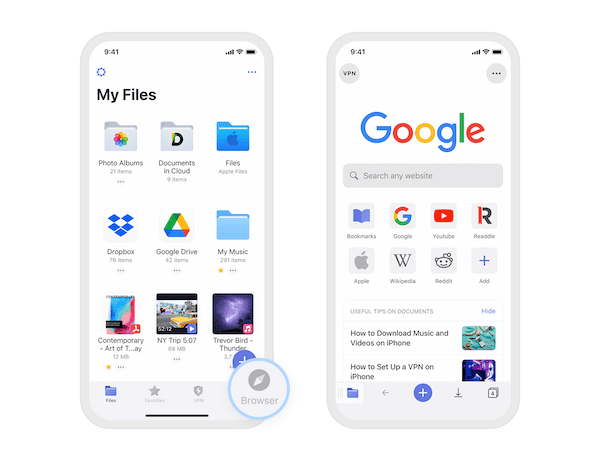
Documents by Readdle is a versatile file management app for iPhone/iPad that offers an alternative method to download videos from platforms like OnlyFans. While iOS has more restrictions compared to Android, Documents by Readdle provides a unique solution by enabling users to download and manage files through its integrated browser. Downloaded videos are typically saved in MP4 format, with quality and speed limited to real-time playback depending on the web-based downloader used.
Though the process is a bit more manual compared to other downloaders, Documents by Readdle provides an effective way to save content on iOS devices. The app also offers a built-in file manager, which makes organizing downloaded videos easy and efficient. However, it may not be as seamless as dedicated OnlyFans downloaders and could require extra steps to ensure successful downloads.
Pros:
- Works around iOS limitations by using its built-in browser for downloads.
- Supports multiple video formats and HD quality.
- Offers excellent file management and organizational tools.
- Compatible with iOS devices.
Cons:
- Requires manual browsing and downloading.
- Not as direct or automated as dedicated downloaders.
- May not work for DRM-protected content.
#11 Screen Recording (Android & iOS)
Best for: Emergency or last-resort use when no downloader works and video quality is not a priority.
| Output Format | Max Quality | DRM Removal | Batch Download | Based on | Ease of Use |
| MP4 | 1080p | ❌ | ❌ | Anndroid, iOS | Low |
Screen recording apps provide a simple and accessible solution for downloading videos from platforms like OnlyFans on both Android and iOS devices. These apps capture video content as it plays on your screen, allowing you to save it directly to your device. Recorded videos are saved in system-default formats (usually MP4) at screen resolution, and recording speed is strictly real-time.
Many screen recording apps offer high-quality video captures and basic editing features, such as trimming or cropping, making them a popular choice for users looking for a quick and easy way to save videos without additional software.
However, a significant limitation of screen recording apps is that they often struggle to record DRM-protected videos. When attempting to capture such content, you may encounter a black screen or be unable to record the video at all due to restrictions placed on the media. Additionally, the recording process can be time-consuming since you must play and record the video in real-time. This method also may not always preserve the original video quality.
Pros:
- Works on both Android and iOS devices.
- Easy to use with no additional software needed.
- Allows basic video editing features like trimming.
Cons:
- May not record DRM-protected content (black screen issue)
- Time-consuming, as videos must be played and recorded in real-time
- Potential loss of video quality during recording
Comparison of Best OnlyFans Video Downloaders
All downloaders listed below were tested and reviewed based on hands-on checks, interface usability, download success rate, and feature availability at the time of writing. However, due to frequent platform updates, some features may change over time.
| Downloader | Best For | Output Format | Max Video Quality | Batch Download | Platform Compatibility | Ease of Use | Security & Privacy |
| Official or Creator-Provided Ways | Lowest-risk saving when a creator or platform provides a permitted file | Creator/platform-provided format | Depends on the provided file | Depends on creator/platform availability(official app not) | Web, mobile, or file-sharing method provided by creator/platform | High | Low |
| TuneFab VideOne OnlyFans Downloader | Best overall desktop workflow for accessible videos | MP4, MKV, MOV | 1080p | ✅ | Windows, macOS | High (GUI) | Low |
| OnlyFans Video Downloader Global | Best for one-click, free browser downloads | MP4, WebM | Up to 1080p | ❌ | Chrome Extension | High | Medium |
| Locoloader OnlyFans Downloader | Best for lightweight multi-platform users | MP4 | 720p | ❌ | Chrome / Firefox Extension | Medium (manual setup) | Medium-High |
| Downloader for onlyfans.com | Best for quick OnlyFans post downloads | MP4 | HD, depending on source | ❌ | Chrome Extension | High | Medium |
| Bulk Media Downloader | Best for downloading multiple accessible media files | MP4 | Depends on source | ✅ | Browser Extension | High | Medium |
| Mediadown OnlyFans Downloader | Best for open-source users with batch needs | MP4 | 1080p | ✅ | Windows, macOS, Linux | Medium (GUI & CLI) | Medium |
| onlyfans-dl-2 | Best for developers or archiving full creator profiles | Original (MP4, JPG…) | Original source quality | ✅ | Windows, macOS, Linux (CLI) | Low (CLI) | Low-Medium (open-source) |
| AhaSave | Best for casual Android video saving | MP4 | HD | ❌ | Android | High | Medium |
| StreamFork | Best mobile-first option to verify before use | MP4 | Depends on stream | ❌ | Android, Chrome-based browsers | Medium | Medium |
| Documents by Readdle | Best for iOS users with file-management needs | MOV, MP4 | HD | ❌ | iOS, iPadOS | Medium (manual) | Low |
| Screen Recording | Best for saving short clips when recording is allowed | MP4 | Screen-dependent | ❌ | Android, iOS | High | Low-Medium |
Not sure which tool to pick? Follow this simple decision path:
Path A: You are on a PC or Mac (Recommended for stability)
- Need batch downloads, DRM support, or full creator libraries?
→ TuneFab VideOne OnlyFans Downloader - Only need to save a few videos occasionally?
→ Lightweight desktop or extension-based tools
Path B: You prefer a browser-based solution
- Don’t want to install software and only download occasionally?
→ Chrome or Firefox extensions (with caution)
Path C: You are on a smartphone
- Android users who want quick offline access
→ AhaSave - iPhone users
→ Documents by Readdle or screen recording (limited)
FAQs About OnlyFans Video Downloaders
Is it legal to download OnlyFans videos?
It depends on your local law, OnlyFans’ terms, and the creator’s permission. You should only save videos you can already access through an active subscription, creator approval, or an official download option. Do not redistribute, repost, resell, or share creator content without permission.
Can I download OnlyFans videos without subscribing?
No. This guide does not cover bypassing subscriptions, paywalls, login requirements, private content, or creator restrictions. If you cannot access a video through your own account or creator permission, you should not try to download it.
Can an OnlyFans downloader bypass DRM?
Do not treat DRM bypass as a normal feature. Protected streams may fail to download, show a black screen, or require official playback only. The safest approach is to respect platform restrictions and use official or creator-approved downloads when available.
Are OnlyFans downloader extensions safe?
Browser extensions can be convenient, but they are not risk-free. Check the source, update history, reviews, requested permissions, and whether the extension asks for credentials outside the official OnlyFans domain. Avoid extensions with unclear ownership or excessive permissions.
Can OnlyFans tell if you download videos?
No tool can guarantee that downloading is undetectable. Platforms may log account sessions, device/IP changes, streaming requests, rapid access patterns, and abnormal activity. Use only authorized content, avoid aggressive bulk behavior, and protect your account with a strong password and 2FA.
What is the safest OnlyFans video downloader?
The safest option is an official or creator-provided download. If you need a third-party workflow for content you are allowed to save, choose a reputable tool, verify the login flow, review privacy risks, and avoid tools that promise to bypass restrictions.
What is the best OnlyFans video downloader for PC and Mac?
For desktop users, TuneFab VideOne OnlyFans Downloader is the most practical choice in this list because it provides a graphical interface, output-format options, and local file management. Use it only for videos you are authorized to access and save.
Conclusion
Choosing the best downloader for OnlyFans depends on your device, technical comfort level, and how much risk you are willing to accept. Browser extensions are convenient for occasional downloads, open-source tools offer more control for advanced users, and mobile methods are useful for light use only.
For most PC and Mac users who want a structured workflow, TuneFab VideOne OnlyFans Downloader remains the strongest desktop option in this list. It supports common output formats, local file management, and a more organized experience than simple browser extensions.
No matter which method you choose, use it responsibly: save only videos you are authorized to access, respect creator rights, follow platform terms, protect your account credentials, and avoid any tool that promises to bypass paywalls, DRM restrictions, or private content controls.